Forum Discussion

Bilosta
Jan 30, 2024Copper Contributor
remove Conditional formatting for specific duplicates,
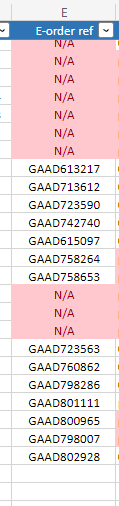
Hi all, I have situation where I have conditional formatting in column E for duplicates. in column E I need to have unique references but sometimes I do not have any reference for some row, and ...

Lorenzo
Jan 30, 2024Silver Contributor
Hi Bilosta
You cannot achieve what you expect with the built-in Cond. Format Highlight Duplicate Values rule. Instead you'll have to setup a custom rule using a formula:
Cond. Format rule that applies to =$E$2:$E$14 for the above example:
=AND($E2 <> "n/a", COUNTIF($E$2:$E$14,$E2) > 1)If not already the case I would recommend you to format your data as Table
Corresponding sample is available here
