Forum Discussion

anupambit1797
Dec 04, 2025Iron Contributor
How to write a script or any PQ or in Excel to download the zip files from a Webpage
Dear Experts, Greetings! https://www.etsi.org/deliver/etsi_ts/138300_138399/138306/ Could you please help me on how to download the pdf.zip files from above for all the ver...
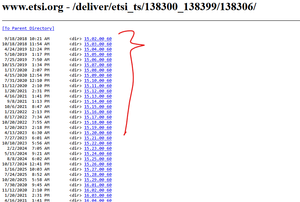
- Dec 15, 2025
A better option:
let
    Source = Web.BrowserContents( "https://www.etsi.org/deliver/etsi_ts/138300_138399/138306/" ),
    UrlRoot = "https://www.etsi.org",
    // All Parent 'directory' link end with ".00_60/"
    ParentLinks = Html.Table( Source,
        { {"Parent_Link", "a[href$='.00_60/']", each UrlRoot & [Attributes][href]} }
    ),
    PdfContents = Table.AddColumn( ParentLinks, "PdfContents", each
        let
            childContents = Web.BrowserContents( [Parent_Link] ),
            // Only one pdf file in sub-directory
            pdfLink = Table.FirstValue(
                Html.Table( childContents,
                    { {"Pdf_Link", "a[href$='.pdf']", each UrlRoot & [Attributes][href]} }
                )
            )
        in
          Pdf.Tables( Web.Contents( pdfLink ) , [Implementation = "1.3"] ),
          Table.Type
    )
in
    PdfContents
EDIT: CSS Selectors: https://www.w3schools.com/cssref/css_selectors.php
let
    OneParentLink = Web.BrowserContents( "https://www.etsi.org/deliver/etsi_ts/138300_138399/138306/15.02.00_60/" ),
    UrlRoot = "https://www.etsi.org",

    // Get <a href>'s ending with '.pdf'
    OptionOne = Html.Table( OneParentLink,
        { {"Pdf_Link", "a[href$='.pdf']", each UrlRoot & [Attributes][href]} }
    ),

    OptionTwo = Html.Table( OneParentLink,
        { {"Pdf_Link", "a", each UrlRoot & [Attributes][href]} },
        [RowSelector = "a[href$='.pdf']"]
    )
in
    OptionTwo

Lorenzo
Dec 19, 2025Silver Contributor
To help people who search for existing solutions could you please:
- Update the title of this thread to better reflect the challenge - ex. How to write a script or any PQ or Excel formula to download the pdf files from a Webpage
- Provide feedback/mark as solved if appropriate - Hope you saw the Better option that's more straightforward than the initial proposal
Thanks & let me know if you need more help with this issue
Cheers
 anupambit1797Dec 19, 2025Iron Contributor
Thanks Lorenzo , I am not sure how to update the title here as no option to Edit seems after creating post.. or may be Iam not able to find it.. I marked the last solution as solved.
Sorry , for delay as I am still on leave till Jan-5, and watching mails intermittently only.
Happy Holidays!!
Thanks & Regards
Anupam Shrivastava
- LorenzoDec 19, 2025Silver Contributor
anupambit1797
No worries at all re. the delay & glad you sorted out the next steps.Just checked How To update the initial post :
- Open the thread
- Click the gear at the top right of the window...
Nice holidays too
Best
Lz.