Forum Discussion

MalcolmBrowning
Feb 06, 2022Copper Contributor
Filter function help
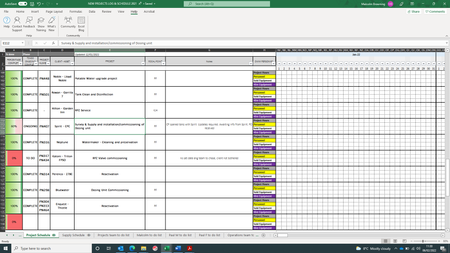
Hi, I am in the process of updating and managing our work projects log. As you will see from attached document I have merged rows at the beginning of the table to allow each project to include a...

JU51M3
Feb 06, 2022Copper Contributor
Hai,
To solve the issue Insert a temporary column without merging the cells.
Suppose you inserted a column at "I"
Place the formula IF(An="",I(n-1),An) and drag the formula till the end.
n is the row number,
Now filter based on the Column I it will work.
Thank You.
To solve the issue Insert a temporary column without merging the cells.
Suppose you inserted a column at "I"
Place the formula IF(An="",I(n-1),An) and drag the formula till the end.
n is the row number,
Now filter based on the Column I it will work.
Thank You.

MalcolmBrowning
Feb 06, 2022Copper Contributor
I am trying to insert this formula into the spreadsheet as you have mendtioned. Could you give me a written out complete formula for the first group of boxes please as i cant seem to get it to work. Do i change every n for one row number or for each consecutive row number?
so In cell I4 the formula would be IF(An="",I(n-1),An)
In cell I5 the formula would be IF(An="",I(n-1),An)
In cell I6 the formula would be IF(An="",I(n-1),An)
In cell I7 the formula would be IF(An="",I(n-1),An)
- JU51M3Feb 06, 2022Copper Contributorfor the cell i4 the formula is =if(a4="",i3,a4)
copy the formula and paste it in the i4 cell
then simply drag the formula down across all the rows