Forum Discussion

Excel
Apr 11, 2021Iron Contributor
Question related to sum(Text with Number)
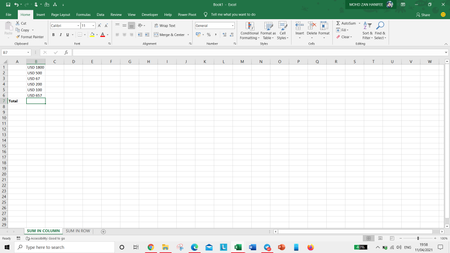
Hello Everyone, I want to sum text with number. Like - IN COLUMN - IN ROW - The answer should be come in cell just written sheet with the help of formula Please help.? ...

PeterBartholomew1
Apr 11, 2021Silver Contributor
I agree with Patrick2788; the dollar amounts should never have been held as text in the first place. Given that they are, in the days when I used non-array versions of Excel, I used Name Manager to bypass the fact that grid calculations mess with arrays. If 'input' is the row or column of input data, then defining the named formula 'amount' to refer to
=VALUE(MID(input,4,10))
or
=--(MID(input,4,10))
will give a well-behaved array of numbers.
The result is then given by
= SUM(amount)
with no CSE or curly brackets required. All that remains is to apply a number format such as
"USD" #,##0
[taking care to use the relevant parameter and thousands separators].

Excel
Apr 11, 2021Iron Contributor
Thank you so much sir😊😊