Forum Discussion

Question on a type of text linking between sheets
- Dec 04, 2024
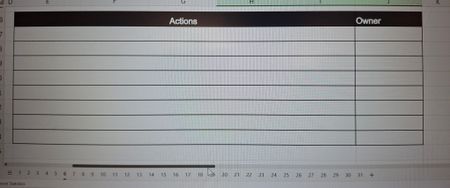
now it looks like your data is in cell E7 but I also realize my trick won't work because of circular reference (I use it for pulling prior total to new page starting value but here you are looking at the same cell).
So that said, you'll need to use =1!E7 on page 2 and =2!E7 on page 3 and so on

You can simply put in
=5!G7
in to the corresponding G7 cell on sheet 6 but note this does NOT copy the data over it just SHOWS the data from the prior sheet (as referenced) in this cell. Then for items done you can delete/overwrite those cells. To Modify an item you will need to COPY and PASTE VALUES ONLY and then you can modify.
This may be tedious to apply to all 30 sheets but once you do it once you have a 'template' for each month.
Alternatively you could highlight all sheets from sheet 2 to 31 and then use a formula like:
=INDEX(VSTACK(1:30!G7),SHEET()-1)
and then you can copy/fill down and over as needed
(note you might need a refresh/calculate now after the copy/fill for it to update)

Thank you for your solution and formula m_tarler. :)
Am I doing this right? I've got it copied across sheets 1 to 31 with some data on sheet 1 and it's providing me with "0" no matter the data on the previous sheet. I'm definitely missing something here. I've also refreshed it. What's going on?
- m_tarlerDec 04, 2024Bronze Contributor
now it looks like your data is in cell E7 but I also realize my trick won't work because of circular reference (I use it for pulling prior total to new page starting value but here you are looking at the same cell).
So that said, you'll need to use =1!E7 on page 2 and =2!E7 on page 3 and so on