Forum Discussion

Python in Excel - Missing from desktop Excel but exist in web Excel
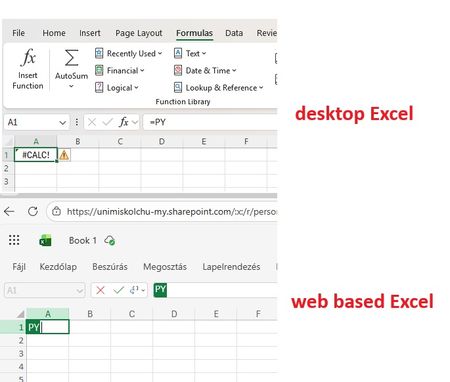

One more information: it came out the AX (A1, A3, A5) licenses are Educational licenses. So based on this official statement:
"If you have an Education subscription, Python in Excel is available on Windows through the Microsoft 365 Insider Program. Choose the Current Channel (Preview) Insider level and install the latest build of Excel. Python in Excel is available for Education subscriptions starting with Version 2406 (Build 17726.20016)."
So I enabled the "Microsoft 365 Insider" possibility for my computer and I regisitered on M365 Insider program, selected the Current channel. Now on my Excel Acccount details panel, the relevant part is:
Of course I ran Update Office, Update License, restarted computer .... but I still not have the Pyton in Excel function active. Not in the Formulas ribbon, and not by typing "=PY" function, still get the #CALC! error msg.

At least one thing is wrong - you are to be on Current (Preview), not on Current.
You may check build numbers for each channel here Release notes for Current Channel (Preview) releases - Office release notes | Microsoft Learn
You may deploy proper channel using Office Deployment Tool or by other way, details shall be on Insider site. Not sure how to do that exactly for consumer or educational subscriptions.