Forum Discussion

Possible conditional formatting solution??

=AND(E2<>"",E2<10)In the example i've assumed that this is the rule for conditional formatting.
=FILTER(B2:B18,(E2:E18=""))This is the FILTER function in cell G2 that selects all times if the corresponding cell in column E is blank.
=IF(OR(AND(AND(E2<>"",E2<10)=TRUE,AND(E1<>"",E1<10)=FALSE),AND(NOT(ISBLANK(E2)),AND(E2<>"",E2<10)=FALSE,AND(E1<>"",E1<10)=TRUE)),1,"")This is the formula in cell H2 in the example which returns "1" if the condition is true. You can then select cell H2 and skip down to all cells that contain "1" with ctrl and arrow down.
=FILTER(B2:B18,(E2:E18<>"")*(E2:E18<10)*((E1:E17>=10)+(E1:E17="")))This FILTER function records all times at the beginning of a conditionally formatted range.

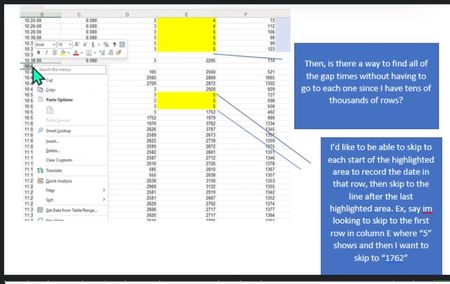
I used the conditional formatting and entered the formula =E33:E22354<10, and included the blanks or GAPS as we like to call them. These were highlighted yellow. When I entered the FILTER formula, it worked, but wasn't correct. I tried adjusting it to work, but I couldn't figure it out. I attached a file I'm working on and made changes. The date and time of when it starts (which is the first highlighted data value) is recorded along with the date and time of when it ends, which is right after the last value. This gets confusing because a GAP (blanks) are also recorded, but count as a separate time. For example, in the Info tab attached in the Excel document, the start date and time should be
| 2022/12/31 | 23:58:00 |
The stop time is
| 2023/01/01 | 13:38:00 |
which falls into the GAP (blank cells). This is also recorded and counted as a new row, so the start of the next row in the "info tab" is cell 443 (from the data tab) with the start time of
| 2023/01/01 | 13:38:00 |
and end time of
| 2023/01/01 | 13:56:00 |
which is cell 452 (from the data tab).
Then, the third start time is cell 453 in the data tab with a start time of
| 2023/01/01 | 13:58:00 |
and end time of
| 05:42:00 | 01/03/2023 05:42 |
Also, thank you so much for your help thus far! I really appreciate it!