Forum Discussion

Possible conditional formatting solution??

=AND(E2<>"",E2<10)In the example i've assumed that this is the rule for conditional formatting.
=FILTER(B2:B18,(E2:E18=""))This is the FILTER function in cell G2 that selects all times if the corresponding cell in column E is blank.
=IF(OR(AND(AND(E2<>"",E2<10)=TRUE,AND(E1<>"",E1<10)=FALSE),AND(NOT(ISBLANK(E2)),AND(E2<>"",E2<10)=FALSE,AND(E1<>"",E1<10)=TRUE)),1,"")This is the formula in cell H2 in the example which returns "1" if the condition is true. You can then select cell H2 and skip down to all cells that contain "1" with ctrl and arrow down.
=FILTER(B2:B18,(E2:E18<>"")*(E2:E18<10)*((E1:E17>=10)+(E1:E17="")))This FILTER function records all times at the beginning of a conditionally formatted range.

I didn't use a conditional format, I filtered any number that was less than ten and blanks. I should have highlighted the blanks in yellow too. Do I have to use the conditional format for your formula to work? I tried this formula for the data range because my data starts at E33 and ends at E22354: =IF(OR(AND(AND(E33<>"",E33<10)=TRUE,AND(E32<>"",E32<10)=FALSE),AND(NOT(ISBLANK(E33)),AND(E33<>"",E33<10)=FALSE,AND(E32<>"",E32<10)=TRUE)),1,"") but this did not work.
For the filter formula, I tried adding the dates as well because I need both the dates and times, but "#SPILL!" was returned when using this formula: =FILTER(A33:B22354,(E33:E22354=""))
For example, I'd like both 2022/12/31 23:58:00 to show up with the formula
- OliverScheurichFeb 15, 2023Gold Contributor
=FILTER(A33:B22354,(E33:E22354=""),"")This FILTER function returns the dates and times from columns A and B.
You can read here why SPILL error occurs - Spill range isn't blank - and how to fix this error.
How to correct a #SPILL! error - Microsoft Support
Conditional formatting isn't required for the formulas to work but since you are working with thousands of rows i'd apply conditional formatting. It's better to visualize the rows with values less than 10 in my opinion.
I didn't filter numbers less than 10 and blanks and the formula returns the expected result. The formula is in cell H33 and it enters "1" in the intended rows.
=IF(OR(AND(AND(E33<>"",E33<10)=TRUE,AND(E32<>"",E32<10)=FALSE),AND(NOT(ISBLANK(E33)),AND(E33<>"",E33<10)=FALSE,AND(E32<>"",E32<10)=TRUE)),1,"")
- jazzyelsieFeb 20, 2023Tin Contributor
The conditional formatting did work. I attached my Excel document. I also copy and pasted some of the data. Are you entering the formula in column H at the start of the data? When I go to enter that formula, only the first column returns 1 despite the rows beneath it being highlighted.
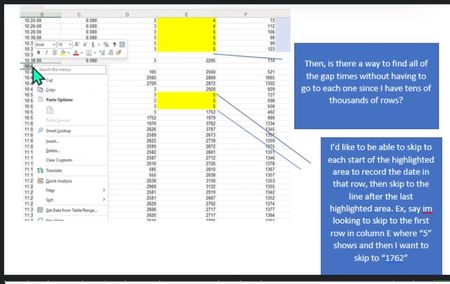
In the attached Table 1 below, the column labeled "MAX" is what I used the conditional formatting to highlight the boxes that are blank and <10. When I entered the formula you gave me, I noticed that it isn't giving me the date and start time followed by the end time of the last highlighted box. For example, since cell 33 is <10 and highlighted (in this case I couldn't highlight, so I changed the font to red), the date and start I need the formula to output is 2022/12/31 23:58:00 with the end time being cell 443 because it ends after the last data value in cell 442, so the end time or stop time I need is 2023/01/01 13:38:00. Right after, there is a Gap time, so I need to do the same thing. In this example, the Gap also starts at cell 443, so the start time is
2023/01/01 13:38:00 with a stop time of
2023/01/01 13:56:00 If possible, I would like to be able to have a code that writes GAP off to the side as seen in the second table, but that isn't urgent.
The third time interval occurs right after the GAP in this particular dataset, so I would write the start time of
2023/01/01 13:58:00 and the end time of
2023/01/03 05:42:00 Based on the formula you gave me, I tried tweaking it to: =IF(OR(AND(AND(E33<>"",E33<10)=TRUE,AND(E32<>"",E32<10)=FALSE),AND(NOT(ISBLANK(E33)),AND(E33<>"",E33<10)=FALSE,AND(E32<>"",E32<10)=TRUE)),1,""), however this did not work. Hopefully my explanation makes sense. I have to do the same thing for column M with conditional formatting and the formula as well.
Also, thank you so much for your time and help thus far!
Table 1
Date Time sec MIN MAX 2022/12/31 23:58:00 0.000 6 6 (cell 33) 2023/01/01 00:00:00 0.000 6 6 2023/01/01 00:02:00 0.000 6 6 2023/01/01 00:04:00 0.000 6 6 2023/01/01 00:06:00 0.000 6 6 2023/01/01 00:08:00 0.000 6 6 2023/01/01 00:10:00 0.000 6 6 2023/01/01 00:12:00 0.000 6 6 2023/01/01 00:14:00 0.000 6 6 2023/01/01 00:16:00 0.000 6 6 2023/01/01 00:18:00 0.000 6 6 2023/01/01 00:20:00 0.000 6 6 2023/01/01 00:22:00 0.000 6 6 2023/01/01 00:24:00 0.000 6 6 2023/01/01 00:26:00 0.000 6 6 2023/01/01 00:28:00 0.000 6 6 2023/01/01 00:30:00 0.000 6 6 2023/01/01 00:32:00 0.000 6 6 2023/01/01 00:34:00 0.000 6 6 2023/01/01 00:36:00 0.000 6 6 2023/01/01 00:38:00 0.000 6 6 2023/01/01 00:40:00 0.000 6 6 2023/01/01 00:42:00 0.000 6 6 2023/01/01 00:44:00 0.000 6 6 2023/01/01 00:46:00 0.000 6 6 2023/01/01 00:48:00 0.000 6 6 2023/01/01 00:50:00 0.000 6 6 2023/01/01 00:52:00 0.000 6 6 2023/01/01 00:54:00 0.000 6 6 2023/01/01 00:56:00 0.000 6 6 2023/01/01 00:58:00 0.000 6 6 2023/01/01 01:00:00 0.000 6 6 2023/01/01 01:02:00 0.000 6 6 2023/01/01 01:04:00 0.000 6 6 2023/01/01 01:06:00 0.000 6 6 2023/01/01 01:08:00 0.000 6 6 2023/01/01 01:10:00 0.000 6 6 2023/01/01 01:12:00 0.000 6 6 2023/01/01 01:14:00 0.000 6 6 2023/01/01 01:16:00 0.000 6 6 2023/01/01 01:18:00 0.000 6 6 2023/01/01 01:20:00 0.000 6 6 2023/01/01 01:22:00 0.000 6 6 2023/01/01 01:24:00 0.000 6 6 2023/01/01 01:26:00 0.000 6 6 2023/01/01 01:28:00 0.000 6 6 2023/01/01 01:30:00 0.000 5 6 2023/01/01 01:32:00 0.000 6 6 2023/01/01 01:34:00 0.000 6 6 2023/01/01 01:36:00 0.000 6 6 2023/01/01 01:38:00 0.000 6 6 2023/01/01 01:40:00 0.000 6 6 2023/01/01 01:42:00 0.000 6 6 2023/01/01 01:44:00 0.000 6 6 2023/01/01 01:46:00 0.000 6 6 2023/01/01 01:48:00 0.000 6 6 2023/01/01 01:50:00 0.000 6 6 2023/01/01 01:52:00 0.000 6 6 2023/01/01 01:54:00 0.000 6 6 2023/01/01 01:56:00 0.000 6 6 2023/01/01 01:58:00 0.000 6 6 2023/01/01 02:00:00 0.000 6 6 2023/01/01 02:02:00 0.000 6 6 2023/01/01 02:04:00 0.000 6 6 2023/01/01 02:06:00 0.000 6 6 2023/01/01 02:08:00 0.000 6 6 2023/01/01 02:10:00 0.000 6 6 2023/01/01 02:12:00 0.000 6 6 2023/01/01 02:14:00 0.000 6 6 2023/01/01 02:16:00 0.000 6 6 2023/01/01 02:18:00 0.000 6 6 2023/01/01 02:20:00 0.000 6 6 2023/01/01 02:22:00 0.000 6 6 2023/01/01 02:24:00 0.000 6 6 2023/01/01 02:26:00 0.000 6 6 2023/01/01 02:28:00 0.000 6 6 2023/01/01 02:30:00 0.000 6 6 2023/01/01 02:32:00 0.000 6 6 2023/01/01 02:34:00 0.000 6 6 2023/01/01 02:36:00 0.000 6 6 2023/01/01 02:38:00 0.000 6 6 2023/01/01 02:40:00 0.000 6 6 2023/01/01 02:42:00 0.000 6 6 2023/01/01 02:44:00 0.000 6 6 2023/01/01 02:46:00 0.000 6 6 2023/01/01 02:48:00 0.000 6 6 2023/01/01 02:50:00 0.000 6 6 2023/01/01 02:52:00 0.000 6 6 2023/01/01 02:54:00 0.000 6 6 2023/01/01 02:56:00 0.000 6 6 2023/01/01 02:58:00 0.000 6 6 2023/01/01 03:00:00 0.000 6 6 2023/01/01 03:02:00 0.000 6 6 2023/01/01 03:04:00 0.000 5 6 2023/01/01 03:06:00 0.000 6 6 2023/01/01 03:08:00 0.000 6 6 2023/01/01 03:10:00 0.000 6 6 2023/01/01 03:12:00 0.000 6 6 2023/01/01 03:14:00 0.000 6 6 2023/01/01 03:16:00 0.000 6 6 2023/01/01 03:18:00 0.000 6 6 2023/01/01 03:20:00 0.000 6 6 2023/01/01 03:22:00 0.000 6 6 2023/01/01 03:24:00 0.000 6 6 2023/01/01 03:26:00 0.000 6 6 2023/01/01 03:28:00 0.000 6 6 2023/01/01 03:30:00 0.000 6 6 2023/01/01 03:32:00 0.000 6 6 2023/01/01 03:34:00 0.000 6 6 2023/01/01 03:36:00 0.000 6 6 2023/01/01 03:38:00 0.000 6 6 2023/01/01 03:40:00 0.000 6 6 2023/01/01 03:42:00 0.000 6 6 2023/01/01 03:44:00 0.000 6 6 2023/01/01 03:46:00 0.000 6 6 2023/01/01 03:48:00 0.000 6 6 2023/01/01 03:50:00 0.000 6 6 2023/01/01 03:52:00 0.000 6 6 2023/01/01 03:54:00 0.000 6 6 2023/01/01 03:56:00 0.000 6 6 2023/01/01 03:58:00 0.000 6 6 2023/01/01 04:00:00 0.000 6 6 2023/01/01 04:02:00 0.000 6 6 2023/01/01 04:04:00 0.000 6 6 2023/01/01 04:06:00 0.000 6 6 2023/01/01 04:08:00 0.000 6 6 2023/01/01 04:10:00 0.000 6 6 2023/01/01 04:12:00 0.000 6 6 2023/01/01 04:14:00 0.000 6 6 2023/01/01 04:16:00 0.000 6 6 2023/01/01 04:18:00 0.000 6 6 2023/01/01 04:20:00 0.000 5 6 2023/01/01 04:22:00 0.000 6 6 2023/01/01 04:24:00 0.000 6 6 2023/01/01 04:26:00 0.000 6 6 2023/01/01 04:28:00 0.000 6 6 2023/01/01 04:30:00 0.000 6 6 2023/01/01 04:32:00 0.000 6 6 2023/01/01 04:34:00 0.000 6 6 2023/01/01 04:36:00 0.000 6 6 2023/01/01 04:38:00 0.000 6 6 2023/01/01 04:40:00 0.000 6 6 2023/01/01 04:42:00 0.000 6 6 2023/01/01 04:44:00 0.000 6 6 2023/01/01 04:46:00 0.000 6 6 2023/01/01 04:48:00 0.000 6 6 2023/01/01 04:50:00 0.000 6 6 2023/01/01 04:52:00 0.000 6 6 2023/01/01 04:54:00 0.000 6 6 2023/01/01 04:56:00 0.000 6 6 2023/01/01 04:58:00 0.000 6 6 2023/01/01 05:00:00 0.000 6 6 2023/01/01 05:02:00 0.000 6 6 2023/01/01 05:04:00 0.000 6 6 2023/01/01 05:06:00 0.000 6 6 2023/01/01 05:08:00 0.000 6 6 2023/01/01 05:10:00 0.000 6 6 2023/01/01 05:12:00 0.000 6 6 2023/01/01 05:14:00 0.000 6 6 2023/01/01 05:16:00 0.000 6 6 2023/01/01 05:18:00 0.000 6 6 2023/01/01 05:20:00 0.000 6 6 2023/01/01 05:22:00 0.000 6 6 2023/01/01 05:24:00 0.000 5 6 2023/01/01 05:26:00 0.000 6 6 2023/01/01 05:28:00 0.000 6 6 2023/01/01 05:30:00 0.000 6 6 2023/01/01 05:32:00 0.000 6 6 2023/01/01 05:34:00 0.000 6 6 2023/01/01 05:36:00 0.000 6 6 2023/01/01 05:38:00 0.000 6 6 2023/01/01 05:40:00 0.000 6 6 2023/01/01 05:42:00 0.000 6 6 2023/01/01 05:44:00 0.000 6 6 2023/01/01 05:46:00 0.000 6 6 2023/01/01 05:48:00 0.000 5 6 2023/01/01 05:50:00 0.000 6 6 2023/01/01 05:52:00 0.000 6 6 2023/01/01 05:54:00 0.000 6 6 2023/01/01 05:56:00 0.000 6 6 2023/01/01 05:58:00 0.000 6 6 2023/01/01 06:00:00 0.000 6 6 2023/01/01 06:02:00 0.000 6 6 2023/01/01 06:04:00 0.000 6 6 2023/01/01 06:06:00 0.000 6 6 2023/01/01 06:08:00 0.000 6 6 2023/01/01 06:10:00 0.000 6 6 2023/01/01 06:12:00 0.000 6 6 2023/01/01 06:14:00 0.000 6 6 2023/01/01 06:16:00 0.000 6 6 2023/01/01 06:18:00 0.000 6 6 2023/01/01 06:20:00 0.000 6 6 2023/01/01 06:22:00 0.000 6 6 2023/01/01 06:24:00 0.000 6 6 2023/01/01 06:26:00 0.000 6 6 2023/01/01 06:28:00 0.000 6 6 2023/01/01 06:30:00 0.000 6 6 2023/01/01 06:32:00 0.000 6 6 2023/01/01 06:34:00 0.000 5 6 2023/01/01 06:36:00 0.000 6 6 2023/01/01 06:38:00 0.000 6 6 2023/01/01 06:40:00 0.000 6 6 2023/01/01 06:42:00 0.000 6 6 2023/01/01 06:44:00 0.000 6 6 2023/01/01 06:46:00 0.000 6 6 2023/01/01 06:48:00 0.000 5 6 2023/01/01 06:50:00 0.000 5 6 2023/01/01 06:52:00 0.000 6 6 2023/01/01 06:54:00 0.000 6 6 2023/01/01 06:56:00 0.000 6 6 2023/01/01 06:58:00 0.000 6 6 2023/01/01 07:00:00 0.000 6 6 2023/01/01 07:02:00 0.000 6 6 2023/01/01 07:04:00 0.000 6 6 2023/01/01 07:06:00 0.000 6 6 2023/01/01 07:08:00 0.000 6 6 2023/01/01 07:10:00 0.000 5 6 2023/01/01 07:12:00 0.000 6 6 2023/01/01 07:14:00 0.000 6 6 2023/01/01 07:16:00 0.000 5 6 2023/01/01 07:18:00 0.000 6 6 2023/01/01 07:20:00 0.000 6 6 2023/01/01 07:22:00 0.000 6 6 2023/01/01 07:24:00 0.000 6 6 2023/01/01 07:26:00 0.000 6 6 2023/01/01 07:28:00 0.000 6 6 2023/01/01 07:30:00 0.000 6 6 2023/01/01 07:32:00 0.000 6 6 2023/01/01 07:34:00 0.000 6 6 2023/01/01 07:36:00 0.000 6 6 2023/01/01 07:38:00 0.000 6 6 2023/01/01 07:40:00 0.000 6 6 2023/01/01 07:42:00 0.000 6 6 2023/01/01 07:44:00 0.000 6 6 2023/01/01 07:46:00 0.000 6 6 2023/01/01 07:48:00 0.000 6 6 2023/01/01 07:50:00 0.000 6 6 2023/01/01 07:52:00 0.000 6 6 2023/01/01 07:54:00 0.000 5 6 2023/01/01 07:56:00 0.000 6 6 2023/01/01 07:58:00 0.000 6 6 2023/01/01 08:00:00 0.000 6 6 2023/01/01 08:02:00 0.000 6 6 2023/01/01 08:04:00 0.000 6 6 2023/01/01 08:06:00 0.000 6 6 2023/01/01 08:08:00 0.000 6 6 2023/01/01 08:10:00 0.000 6 6 2023/01/01 08:12:00 0.000 6 6 2023/01/01 08:14:00 0.000 6 6 2023/01/01 08:16:00 0.000 6 6 2023/01/01 08:18:00 0.000 6 6 2023/01/01 08:20:00 0.000 6 7 2023/01/01 08:22:00 0.000 5 6 2023/01/01 08:24:00 0.000 6 6 2023/01/01 08:26:00 0.000 6 7 2023/01/01 08:28:00 0.000 6 7 2023/01/01 08:30:00 0.000 6 7 2023/01/01 08:32:00 0.000 6 7 2023/01/01 08:34:00 0.000 6 6 2023/01/01 08:36:00 0.000 6 6 2023/01/01 08:38:00 0.000 6 6 2023/01/01 08:40:00 0.000 6 7 2023/01/01 08:42:00 0.000 6 6 2023/01/01 08:44:00 0.000 6 6 2023/01/01 08:46:00 0.000 6 7 2023/01/01 08:48:00 0.000 6 7 2023/01/01 08:50:00 0.000 6 6 2023/01/01 08:52:00 0.000 6 6 2023/01/01 08:54:00 0.000 6 7 2023/01/01 08:56:00 0.000 6 7 2023/01/01 08:58:00 0.000 6 6 2023/01/01 09:00:00 0.000 6 6 2023/01/01 09:02:00 0.000 6 6 2023/01/01 09:04:00 0.000 6 6 2023/01/01 09:06:00 0.000 6 6 2023/01/01 09:08:00 0.000 6 7 2023/01/01 09:10:00 0.000 6 6 2023/01/01 09:12:00 0.000 6 6 2023/01/01 09:14:00 0.000 6 6 2023/01/01 09:16:00 0.000 6 6 2023/01/01 09:18:00 0.000 6 6 2023/01/01 09:20:00 0.000 6 6 2023/01/01 09:22:00 0.000 6 6 2023/01/01 09:24:00 0.000 6 6 2023/01/01 09:26:00 0.000 6 6 2023/01/01 09:28:00 0.000 6 6 2023/01/01 09:30:00 0.000 6 6 2023/01/01 09:32:00 0.000 6 6 2023/01/01 09:34:00 0.000 6 6 2023/01/01 09:36:00 0.000 6 6 2023/01/01 09:38:00 0.000 6 6 2023/01/01 09:40:00 0.000 6 6 2023/01/01 09:42:00 0.000 5 6 2023/01/01 09:44:00 0.000 6 6 2023/01/01 09:46:00 0.000 6 6 2023/01/01 09:48:00 0.000 6 6 2023/01/01 09:50:00 0.000 6 6 2023/01/01 09:52:00 0.000 6 6 2023/01/01 09:54:00 0.000 6 6 2023/01/01 09:56:00 0.000 6 6 2023/01/01 09:58:00 0.000 6 6 2023/01/01 10:00:00 0.000 6 6 2023/01/01 10:02:00 0.000 6 6 2023/01/01 10:04:00 0.000 6 6 2023/01/01 10:06:00 0.000 6 6 2023/01/01 10:08:00 0.000 6 6 2023/01/01 10:10:00 0.000 6 6 2023/01/01 10:12:00 0.000 6 6 2023/01/01 10:14:00 0.000 6 6 2023/01/01 10:16:00 0.000 6 6 2023/01/01 10:18:00 0.000 6 6 2023/01/01 10:20:00 0.000 6 6 2023/01/01 10:22:00 0.000 6 6 2023/01/01 10:24:00 0.000 6 6 2023/01/01 10:26:00 0.000 6 6 2023/01/01 10:28:00 0.000 6 6 2023/01/01 10:30:00 0.000 6 6 2023/01/01 10:32:00 0.000 6 6 2023/01/01 10:34:00 0.000 6 6 2023/01/01 10:36:00 0.000 6 6 2023/01/01 10:38:00 0.000 6 6 2023/01/01 10:40:00 0.000 6 6 2023/01/01 10:42:00 0.000 6 6 2023/01/01 10:44:00 0.000 6 6 2023/01/01 10:46:00 0.000 6 6 2023/01/01 10:48:00 0.000 6 6 2023/01/01 10:50:00 0.000 6 6 2023/01/01 10:52:00 0.000 6 6 2023/01/01 10:54:00 0.000 6 6 2023/01/01 10:56:00 0.000 6 6 2023/01/01 10:58:00 0.000 6 6 2023/01/01 11:00:00 0.000 6 6 2023/01/01 11:02:00 0.000 6 6 2023/01/01 11:04:00 0.000 6 6 2023/01/01 11:06:00 0.000 6 6 2023/01/01 11:08:00 0.000 6 6 2023/01/01 11:10:00 0.000 6 6 2023/01/01 11:12:00 0.000 5 6 2023/01/01 11:14:00 0.000 6 6 2023/01/01 11:16:00 0.000 6 6 2023/01/01 11:18:00 0.000 6 6 2023/01/01 11:20:00 0.000 6 6 2023/01/01 11:22:00 0.000 6 6 2023/01/01 11:24:00 0.000 6 6 2023/01/01 11:26:00 0.000 6 6 2023/01/01 11:28:00 0.000 6 6 2023/01/01 11:30:00 0.000 6 6 2023/01/01 11:32:00 0.000 6 6 2023/01/01 11:34:00 0.000 6 6 2023/01/01 11:36:00 0.000 6 6 2023/01/01 11:38:00 0.000 6 6 2023/01/01 11:40:00 0.000 6 6 2023/01/01 11:42:00 0.000 6 6 2023/01/01 11:44:00 0.000 6 6 2023/01/01 11:46:00 0.000 6 6 2023/01/01 11:48:00 0.000 5 6 2023/01/01 11:50:00 0.000 6 6 2023/01/01 11:52:00 0.000 5 6 2023/01/01 11:54:00 0.000 5 6 2023/01/01 11:56:00 0.000 6 6 2023/01/01 11:58:00 0.000 6 6 2023/01/01 12:00:00 0.000 5 6 2023/01/01 12:02:00 0.000 5 6 2023/01/01 12:04:00 0.000 5 6 2023/01/01 12:06:00 0.000 5 6 2023/01/01 12:08:00 0.000 5 6 2023/01/01 12:10:00 0.000 5 6 2023/01/01 12:12:00 0.000 5 6 2023/01/01 12:14:00 0.000 5 6 2023/01/01 12:16:00 0.000 5 6 2023/01/01 12:18:00 0.000 5 6 2023/01/01 12:20:00 0.000 5 6 2023/01/01 12:22:00 0.000 5 6 2023/01/01 12:24:00 0.000 5 6 2023/01/01 12:26:00 0.000 4 6 2023/01/01 12:28:00 0.000 5 6 2023/01/01 12:30:00 0.000 5 6 2023/01/01 12:32:00 0.000 5 6 2023/01/01 12:34:00 0.000 5 6 2023/01/01 12:36:00 0.000 5 6 2023/01/01 12:38:00 0.000 5 6 2023/01/01 12:40:00 0.000 5 6 2023/01/01 12:42:00 0.000 4 6 2023/01/01 12:44:00 0.000 4 6 2023/01/01 12:46:00 0.000 5 6 2023/01/01 12:48:00 0.000 5 6 2023/01/01 12:50:00 0.000 4 6 2023/01/01 12:52:00 0.000 5 6 2023/01/01 12:54:00 0.000 4 6 2023/01/01 12:56:00 0.000 5 6 2023/01/01 12:58:00 0.000 5 6 2023/01/01 13:00:00 0.000 4 6 2023/01/01 13:02:00 0.000 4 6 2023/01/01 13:04:00 0.000 4 6 2023/01/01 13:06:00 0.000 4 6 2023/01/01 13:08:00 0.000 4 6 2023/01/01 13:10:00 0.000 4 6 2023/01/01 13:12:00 0.000 4 6 2023/01/01 13:14:00 0.000 4 6 2023/01/01 13:16:00 0.000 4 6 2023/01/01 13:18:00 0.000 4 6 2023/01/01 13:20:00 0.000 4 6 2023/01/01 13:22:00 0.000 4 6 2023/01/01 13:24:00 0.000 4 6 2023/01/01 13:26:00 0.000 4 6 2023/01/01 13:28:00 0.000 4 5 2023/01/01 13:30:00 0.000 4 6 2023/01/01 13:32:00 0.000 4 5 2023/01/01 13:34:00 0.000 4 5 2023/01/01 13:36:00 0.000 4 5 (cell 442) 2023/01/01 13:38:00 0.000 (cell 443) 2023/01/01 13:40:00 0.000 2023/01/01 13:42:00 0.000 2023/01/01 13:44:00 0.000 2023/01/01 13:46:00 0.000 2023/01/01 13:48:00 0.000 2023/01/01 13:50:00 0.000 2023/01/01 13:52:00 0.000 2023/01/01 13:54:00 0.000 2023/01/01 13:56:00 0.000 5 156 (cell 452) 2023/01/01 13:58:00 0.000 5 7 (cell 453) Table 2
START STOP DURATION FORMULAS DATE TIME FORMULA DATE TIME FORMULA 2022/12/31 23:58:00 12/31/2022 23:58 2023/01/01 13:38:00 01/01/2023 13:38 13 hours, 40 minutes 13.66667 2023/01/01 13:38:00 01/01/2023 13:38 2023/01/01 13:56:00 01/01/2023 13:56 18 minutes 0.3 GAP 2023/01/01 13:58:00 01/01/2023 13:58 2023/01/03 05:42:00 01/03/2023 05:42 1 days, 15 hours, 44 minutes 39.73333 2023/01/03 05:42:00 01/03/2023 05:42 2023/01/03 08:24:00 01/03/2023 08:24 2 hours, 42 minutes 2.7 GAP 2023/01/03 08:28:00 01/03/2023 08:28 2023/01/04 10:18:00 01/04/2023 10:18 1 days, 1 hours, 50 minutes 25.83333 2023/01/04 11:48:00 01/04/2023 11:48 2023/01/04 11:50:00 01/04/2023 11:50 2 minutes 0.033333 2023/01/04 15:20:00 01/04/2023 15:20 2023/01/04 15:32:00 01/04/2023 15:32 12 minutes 0.2 2023/01/04 17:54:00 01/04/2023 17:54 2023/01/04 21:46:00 01/04/2023 21:46 3 hours, 52 minutes 3.866667 2023/01/04 21:50:00 01/04/2023 21:50 2023/01/05 05:42:00 01/05/2023 05:42 7 hours, 52 minutes 7.866667