Forum Discussion

Populating data in a table from several cells in a different table on another sheet.
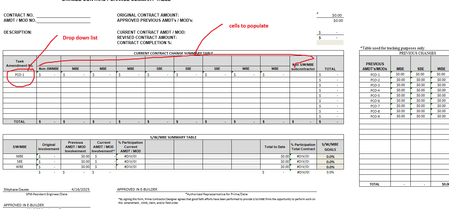

Well we have a problem in that you circle 4 values in each column but have columns in the target with 1, 3, 3, and 2 copies of the values respectively and no comment how to fill that in (do you really want those values repeated those number of times?)
As for how to do it there are various option but something like defining each row on the source from the first value to the last needed value according to the name something like: Non_SWMBE := Sheet1!E20:Z20 (NOTE you can just highlight that row of data and type that name in the box to the left of the formula entry box and hit enter.
Then something like:
=TRANSPOSE(CHOOSECOLS( VSTACK( Non_SWMBE, MBE, SBE, WBE ), XMATCH( A13, Sheet1!E11:Z11))
this is guesstimating A13 to be the corresponding drop down and Sheet1!E20:Z20 to have the data and row 11 to be the corresponding headers...
And this will only give you the 4 numbers so if you need the numbers repeated you would need to add them accordingly.
Hope that is enough for you to run with