Forum Discussion

PLEASE HELP!!! How do I track data without formulas?
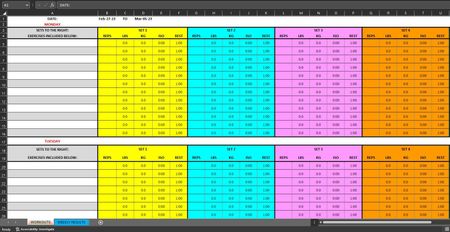

THIS IS THE LINK TO THE DOCUMENT in Microsoft One Drive. You can edit it with this link too.
https://1drv.ms/x/s!AsqZsxCjbfE2yyb7O56GmSse8zY9?e=NzOTEb

Could you add a few dummy data to the Workouts sheet, please, so that I have something to work with? Thanks in advance.
- adetlaffMar 06, 2023Copper Contributor
HansVogelaar Absolutely I can do that. Here it the sheet with example data in it. I also created a new sheet in it called "TRACKABLE EXERCISES" which has the exact names of the exercises that need be "trackable" for the purpose of this workbook. Which we've been discussing since the beginning. THANK YOU SO VERY MUCH!!!! Here is the link to the file in Microsoft One Drive.
WORKOUT SHEET WITH EXAMPLE DATA INCLUDED BELOW:
https://1drv.ms/x/s!AsqZsxCjbfE2zhJ70mmLg6Dcw2l5?e=KxqYU6
- HansVogelaarMar 06, 2023MVP
In the attached version, I have added some formulas. Please check them carefully.
- adetlaffMar 08, 2023Copper ContributorSorry am I missing something? I downloaded the attached file. But I can't see or use any formula anywhere at all. Not in the "Weekly Results" sheet where they would need to be. Or in any other sheet for that matter. Am I missing something?