Forum Discussion

Pivot Table Turnover 23-22
- Aug 14, 2023
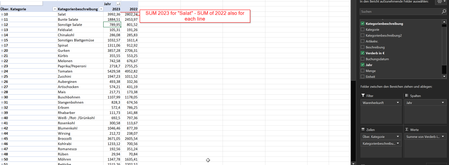
This worked for me: ='2023'-'2022'
I have attached the workbook, but you'll want to create the formula yourself, since the labels were changed to English in my version.
Note that I turned off the grand total for rows, because Excel would include the Differenz value in the grand total.

Click on 2022 or 2023.
On the PivotTable analyze tab of the ribbon, click Fields, Items & Sets > Calculated Item...
In the Name box, enter Difference or something similar.
In the Formula box, enter =Year[2023]-Year[2022]
(This syntax is necessary because 2022 and 2023 are numbers. If you entered =2023-2022, the result would be 1)
Click Add, then click OK.
 carlstegenAug 11, 2023Copper Contributor
HansVogelaar Hi and thanks for the quick reply. Unfortunatly Excel can't address the Year field. I get the following error:
- HansVogelaarAug 11, 2023MVP
- carlstegenAug 13, 2023Copper ContributorGood morning Hans,
no it doesn't work. Either I get the error that it can't resolve the Year or if I put it in "" I get a Value Error because it is seen as Text. I don't get why Excel has a SUM function but not a difference function...