Forum Discussion

Pivot Table Avg Times
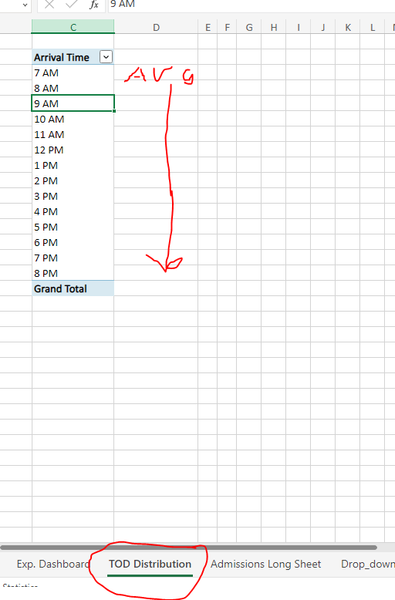

Lorenzo I use Microsoft excel.
Microsoft® Excel® for Microsoft 365 MSO (Version 2310 Build 16.0.16924.20054) 64-bit

- elispragueDec 19, 2023Copper ContributorHi Sergei, thank you for responding. I am interested in the occurrences and not the avg times. Our goal is to find out the average number of appointments at specific times a day so that we can plan staff scheduling accordingly.
- LorenzoDec 19, 2023Silver Contributor
Have taken a sligthly different route as it seems MROUND does not always put the [Arrival Time] in the appropriate Time Slot:
In attached file the Avg measure is SergeiBaklan's one
- elispragueDec 19, 2023Copper ContributorIs there a way to get to the average occurrences instead of the percentage? for example, at 12:00 PM we had an average of x amount of appointments.
- SergeiBaklanDec 19, 2023Diamond Contributor
Creating PivotTable add data to data model
When you drag Arrival Time to rows it automatically create calculating column Arrival Time (Hours). In Power Pivot change formula for that column on
=MROUND([Arrival Time], 1/24)and apply proper time format.
Next create the measure
Average Arrivals:=DIVIDE(
     COUNTROWS( Admissions_Data),
     CALCULATE( COUNTROWS( Admissions_Data), ALL(Admissions_Data) )
 )
and apply proper format to it.
Just number of arrivals will be
Arrivals:=COUNTROWS( Admissions_Data)As result
I guess blank row in the table is misprint. If you have blanks in actual data formula will be bit more complicated to avoid blanks.
Above is number of appointments and percentage per hour for all periods. Not sure what do you mean under average - average per day, per weekday at certain hour or what?
- elispragueDec 19, 2023Copper ContributorThank you so much Sergei, I am interested in seeing the average per day, so for example, on any given day, you will have on average x amount at y time, so on and so forth.
