Forum Discussion

PDF to Excel Conversion errors.
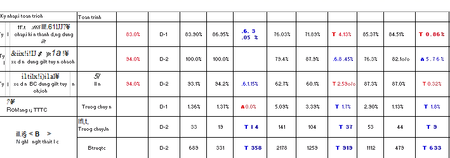

Don't think this is an Excel issue as they import or convert a PDF into Excel.
If I may recommend, without guarantee, look for your preferences in Adobe Acrobat Pro DC in Preferences.
Edit --> Settings --> Convert from PDF --> Excel Workbook --> Edit Settings...
(depending on the version, the path to the settings may have changed).
This way is with Adobe Acrobat Pro DC Version 2015.
Add. Info:
- littlevillageSep 20, 2022Iron Contributor
Thank you for response.
In Adobe Acrobat Pro DC, I am getting here, but I don't know exactly what I need to change in Edit Settings.
Can you give me some advices.
- NikolinoDESep 20, 2022Platinum Contributor
My knowledge is also limited, but as far as the picture shows, the settings look good.
Check the language settings to see if it is set to a different language than the one you have in Windows or Office.
Otherwise, I would recommend contacting the Adobe forum or Excel with subscription (not all) where importing PDF files is possible.
Thank you for your understanding and time
I know I don't know anything (Socrates)
- littlevillageSep 20, 2022Iron Contributor
