Forum Discussion

DouglasWilsonCAgmail
Feb 03, 2023Tin Contributor
Need to use COUNTIFS with OFFSET and COUNTA to create a dynamic range within COUNTIFS
I am using the following formula, =COUNTIFS($D$7:$D$68,L9, $F$7:$F$68,">0") within the attached sheet. The two ranges need to be dynamic as thousands of rows will be added in time as my data grows. I...
- Feb 04, 2023
It should work. See the attached, slightly modified version.

HansVogelaar
Feb 04, 2023MVP
Option 1: convert the range to a table, and refer to to the table columns instead of to fixed ranges.
Option 2: use for example
=COUNTIFS(OFFSET($D$7, 0, 0, COUNTA($D$7:$D$100000), 1), L9, OFFSET($F$7, 0, 0, COUNTA($D$7:$D$100000), 1), ">0")
 DouglasWilsonCAgmailFeb 04, 2023Tin ContributorI tried out Option 2 in the sample sheet I sent you before. It did pick on matching item under "Monday" but when I added an additional entry in C19 along with an entry into F19 which should have added "1" to the prior sum, making 2 it didn't make the addition. Probably user error...just to be clear what should happen, once a value is entered into "C" it takes an additional entry of a value into "F" before a number would be added to the off sheet totals. If no entry into "F" then nothing is added.
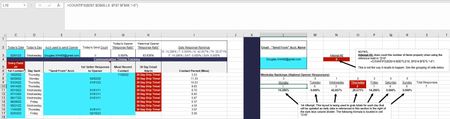
I have included a screen capture of a different area of this same sheet where I used, =OFFSET($M$13,0,0,COUNTA(M13:M27)) within the Data Validation of a List cell to automatically add additional items to the drop down based on the addition of values within the next row down. It works great for that purpose but didn't work here, or at least in the way I crafted the formula anyway.
It looks like I could use some additional help on this one, maybe on the implementation side.
Thanks Hans!- HansVogelaarFeb 04, 2023MVP
Could you make a copy of the workbook available again?
- DouglasWilsonCAgmailFeb 04, 2023Tin Contributorhttps://www.dropbox.com/scl/fi/2tt16cw5s28lrbiqn6tp2/PDcalcs221-01_2023_02-04.xlsx?dl=0&rlkey=d3luwdtmijcc1amfb2wz80262