Forum Discussion

Need some help with pulling data from a table
- Jan 14, 2025
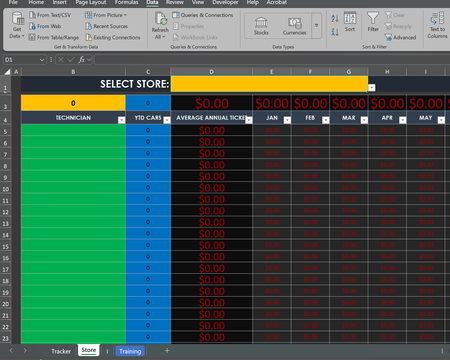
If you convert the table on the Store sheet, you can use the FILTER function in B5:
=FILTER(Shops, Shops[#Headers]=D1, "")
This will spill to as many rows as needed.
If you prefer to leave it as a table, that won't work. Enter the following formula in B5 instead, then fill down to B24.
=IFERROR(INDEX(Shops, ROW(A1), XMATCH($D$1, Shops[#Headers])), "")

If you convert the table on the Store sheet, you can use the FILTER function in B5:
=FILTER(Shops, Shops[#Headers]=D1, "")
This will spill to as many rows as needed.
If you prefer to leave it as a table, that won't work. Enter the following formula in B5 instead, then fill down to B24.
=IFERROR(INDEX(Shops, ROW(A1), XMATCH($D$1, Shops[#Headers])), "")

That worked! Awesome! I've been wracking my brain on this all day, thank you so much!