Forum Discussion

NEED HELP WITH EXCEL FORMULA ABOUT TIMESHEET CALENDAR
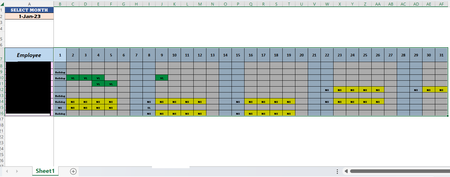

I tried to upload the file on the link you provided. Please let me know if you can access the file through the link below.
https://easyupload.io/kuib88
Regards!

Please look at the attached file.
The formula you provided contains dates in a specific format: "1-Jan-2023;1-Feb-2023;1-Mar-2023;1-Apr-2023;1-May-2023;1-Jun-2023;1-Jul-2023;1-Aug-2023;1-Sep-2023;1-Oct-2023;1-Nov-2023;1-Dec-2023". However, it seems that you want to use this formula for data validation in Excel.
The issue is likely that the format you are using is not recognized as a valid date format by Excel. Excel typically uses the Day-Month-Year format or the Month-Day-Year format, depending on the regional settings in Excel.
To ensure that Excel recognizes the data as a date, you should adjust the format accordingly. Here is an example change for the format of the data in the formula:
"01/01/2023;01/02/2023;01/03/2023;01/04/2023;01/05/2023;01/06/2023;01/07/2023;01/08/2023;01/09/2023;01/10/2023;01/11/2023;01/12/2023"
By changing the date format to "DD/MM/YYYY" (Day/Month/Year), Excel should correctly recognize the data as dates and display them in the data validation.
Please note that the exact date format may also depend on the regional settings in your Excel. Make sure that the format you are using matches the regional settings so that Excel can interpret the data correctly.