Forum Discussion

Named ranges with certain formulas don't return correct result
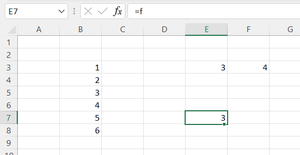

So do you believe this behaviour is just an odd leftover from pre dynamic array days or is it an intentional feature intended to provide backward compatibility? In the attached file I have produced a similar example of an array that is truncated when output to the worksheet, yet will sum correctly in memory. Very reminiscent of pre-DA days.
Oddly though, despite the fact that I was one of very few users that used named formulae on a regular basis to evade implicit intersection, I had not come across this particular issue. Maybe it was that the logical part of the formula was most often itself an array.

Interesting finding. I don't know what is behind. That's not behavior for any named formula, perhaps with conditional functions only.
If use any of
=IF( 1, result )
=LET( v, result, v)
=+result
they all return spill. If now name above formulae, =newname returns spill for latest two, but single value for first one.