Forum Discussion

anupambit1797
Oct 20, 2023Steel Contributor
Multiple-Worksheets creation
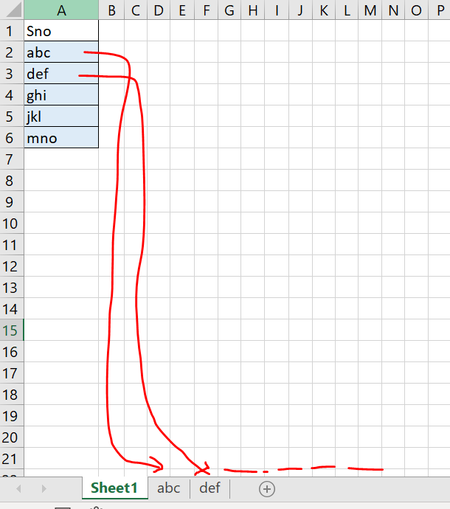
Dear Experts, Greetings! I have a case where , in the main sheet I have multiple unique entries in rows and want to create seperate worksheets for each of these rows( say abc, d...

HansVogelaar
Oct 20, 2023MVP
A slight variation of Patrick2788's code:
Sub CreateSheetsFromNames()
    'Create new sheets from the names added
    'to column A beginning at A2 and down.
    'Sheets added left-to-right.

    Dim cel As Range, rng As Range
    Application.ScreenUpdating = False
    Set rng = Range(Range("A2"), Range("A" & Rows.Count).End(xlUp))
    For Each cel In rng
        Worksheets.Add(After:=Worksheets(Worksheets.Count)).Name = cel.Value
    Next cel
    Application.ScreenUpdating = True
End Sub

anupambit1797
Oct 23, 2023Steel Contributor
- SergeiBaklanOct 23, 2023Diamond Contributor
Nope, that's only VBA or OfficeScript
- HansVogelaarOct 23, 2023MVP
LET is an Excel function to be used in a formula. Formulas cannot create worksheets.
I don't think Power Query can create worksheets either, but I'm not an expert in Power Query.
- anupambit1797Oct 24, 2023Steel Contributor
Thanks HansVogelaar , also I see that this script doesn't work when the cell/row has a String like below
So, basically I wanted to create work sheet for each of these issues with a Single click(Script)
Attached is the worksheet
Thanks in Advance,
Br,
Anupam
- HansVogelaarOct 25, 2023MVP
The names are too long too - the maximum length of a sheet name is 31.
See the attached workbook for a modified version.
