Forum Discussion

sure19
Mar 27, 2020Copper Contributor
Multiple drop down list
When I select AMR it shows me the list of names for AMR, after selecting one terminal, next if I choose ANZ, till I again go to the sub selection to select the list of names from the second selector,...
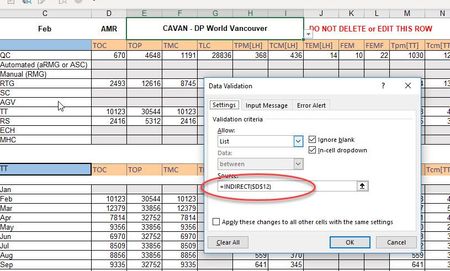

- Mar 28, 2020
sure19 You can put this little macro in the code area for the worksheet (i.e. NOT in a separate module!!). It detects a change in cell D1 and blanks cell E1.
You workbook then has to be saved as a macro-enabled one (.xlsm).
Private Sub Worksheet_Change(ByVal Target As Range)
    If Target.Column = 4 And Target.Row = 1 Then

        Range("E1") = ""

    End If
End Sub
You can read more about it here:
https://docs.microsoft.com/en-us/office/vba/api/Excel.Worksheet.Change

Riny_van_Eekelen
Mar 28, 2020Platinum Contributor
sure19 You can put this little macro in the code area for the worksheet (i.e. NOT in a separate module!!). It detects a change in cell D1 and blanks cell E1.
You workbook then has to be saved as a macro-enabled one (.xlsm).
Private Sub Worksheet_Change(ByVal Target As Range)
    If Target.Column = 4 And Target.Row = 1 Then

        Range("E1") = ""

    End If
End Sub
You can read more about it here:
https://docs.microsoft.com/en-us/office/vba/api/Excel.Worksheet.Change

sure19
Apr 02, 2020Copper Contributor
Riny_van_Eekelen i did that and it worked. Thanks very much
- Riny_van_EekelenApr 02, 2020Platinum Contributor
sure19 Great! You're welcome.