Forum Discussion

Kit24k
May 07, 2022Copper Contributor
multi tab function
I have a spread sheet that I have a Master page on and would like certain lines to transfer to other sheets. I use it to keep track of our invoices and I have 3 collectors who will work from this sa...

OliverScheurich
May 07, 2022Gold Contributor
Sub collectors()

Dim i As Integer

For i = 3 To 16

Select Case Cells(i, 16).Value

Case Is = "RD"
Range(Cells(i, 1), Cells(i, 16)).Copy Worksheets("RD").Cells(i, 1)

Case Is = "RM"
Range(Cells(i, 1), Cells(i, 16)).Copy Worksheets("RM").Cells(i, 1)

Case Is = "MG"
Range(Cells(i, 1), Cells(i, 16)).Copy Worksheets("MG").Cells(i, 1)

End Select

Next i

End Sub
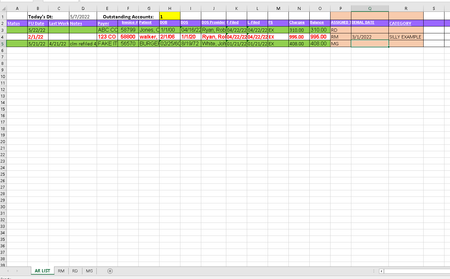
Maybe with this code. In the attached file you can click the button in cell Q4 to start the macro. The lines are copied to the collector's sheet according to the initials in column P.
An alternative could be the FILTER function if you work with Office365 or 2021.
 Kit24kMay 07, 2022Copper ContributorThank you for your fast response,
I think I am going to have to find someone to actually set this up for me,.. Unfortunately I am not super versed in excel.
😞 Sadly the information you provided makes no sense to me, I will see if a coworker understands what you are telling me to do.