Forum Discussion

Matrix lookup and summing of components formula help
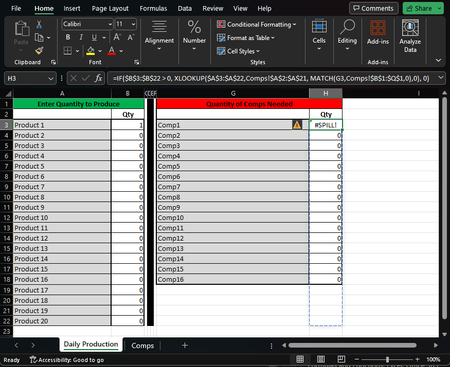
- Oct 15, 2023
The mathematical approach for this problem is to use MMULT for the matrix multiplication
= MMULT(TRANSPOSE(compsPerProduct), productQuantity)Sadly the formula is unlikely to appeal to those without a STEM background. There is an alternative using 365 array formulas.
= LET(
    componentsNeeded, productQuantity * compsPerProduct,
    neededOverall,    BYCOL(componentsNeeded, LAMBDA(x, SUM(x))),
    TOCOL(neededOverall)
  )
The first line simply multiplies the component table by the number of products required to determine the component count for each product. Next, summing by column gives the overall component counts. The result is a row of counts so the final step converts it to a column. Fortunately the two methods give identical results.

kurtlee MMULT is a very picky function in that it does not fail gracefully. If the number of product rows/columns in the two tables do not match the function will crash and burn rather than reporting errors in the final elements to be returned.
Another catch is that it does not accept blank cells as zeros; the 0 must be entered explicitly. Otherwise you would need a formula step to test each array, element by element, and return 0 if the test fails (the element value otherwise).
= MMULT(TRANSPOSE(compsPerProduct), IF(ISNUMBER(productQuantity), productQuantity, 0))or a 365 version
= LET(
    cleanedVector, IF(ISNUMBER(productQuantity), productQuantity, 0),
    cleanedArray,  IF(ISNUMBER(compsPerProduct), compsPerProduct, 0),
    MMULT(TRANSPOSE(compsPerProduct), cleanedVector)
  )

My issue ended up being a mistake in entering the range of compsPerProduct, I had missed a row due to the panel freeze and didn't catch it, so it through a failure I assume from not having the same amount of rows when performing the function. I went ahead and added the ISNUMBER check into the system because it is a good practice to have checks when you can.
Again I greatly appreciate the help you have provided.