Forum Discussion

ClaireMcF
Mar 02, 2023Brass Contributor
Loop Through Worksheets and Counts Populated Rows
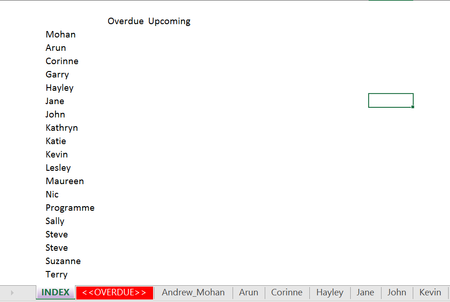
I want to create a macro that I can run each week. I have a workbook and on the first worksheet I want to count how many populated rows there are on the other worksheets. So in this example I want a...

ClaireMcF
Mar 06, 2023Brass Contributor
So that works for me, but for one sheet only. I had replaced 'A:C' with the name of my first worksheet (Mohan) to the name of my last worksheet (Terry), so it reads =LET(Stack,VSTACK'Mohan:Terry''!$A$2:$C$100000),filtered,FILTER(Stack,TAKE(Stack,,1)<>""),ROWS(filtered)) and I get a #NUM error. If I just use Mohan, then it works but I have to replace the name as I move down each row

Patrick2788
Mar 06, 2023Silver Contributor
Are you able to share an anonymized copy of the workbook?
Edit: here's the formula with your sheet names:
=LET(Stack,VSTACK(Mohan:Terry!$A$2:$C$100000),filtered,FILTER(Stack,TAKE(Stack,,1)<>""),ROWS(filtered))
Here's my sheet placement (notice the summary is right of the sheets I'm totaling:
- ClaireMcFMar 06, 2023Brass ContributorThat's exactly what I changed, but it doesn't seem to work for me. It'll be operator error! 🙂
- Patrick2788Mar 06, 2023Silver Contributor
Some of the sheets contained spaces after the names in column A. I've went through the workbook and removed those.
I've also include two possible solutions.
The second option uses REDUCE and calls the Lambda 'Milestone':
=REDUCE(header,manager,Milestone)- ClaireMcFMar 08, 2023Brass ContributorThanks for this - super useful. I probably need to spend a bit of time understand the formulas and playing around with them, as I can't get them to work at my end. I must be doing something wrong. I'm not sure I understand the 'REDUCE' solution. Thanks again
- ClaireMcFMar 06, 2023Brass Contributor