Forum Discussion

DonYTechGuy
Feb 29, 2020Copper Contributor
Is there a formula that works in Excel that would produce a click on calendar?
Hello Everyone, Is there a formula anyone can share that creates a DatePicker Calendar? Are there any formulas that anyone can share to make this functionality a reality. Thanks in advance for any...
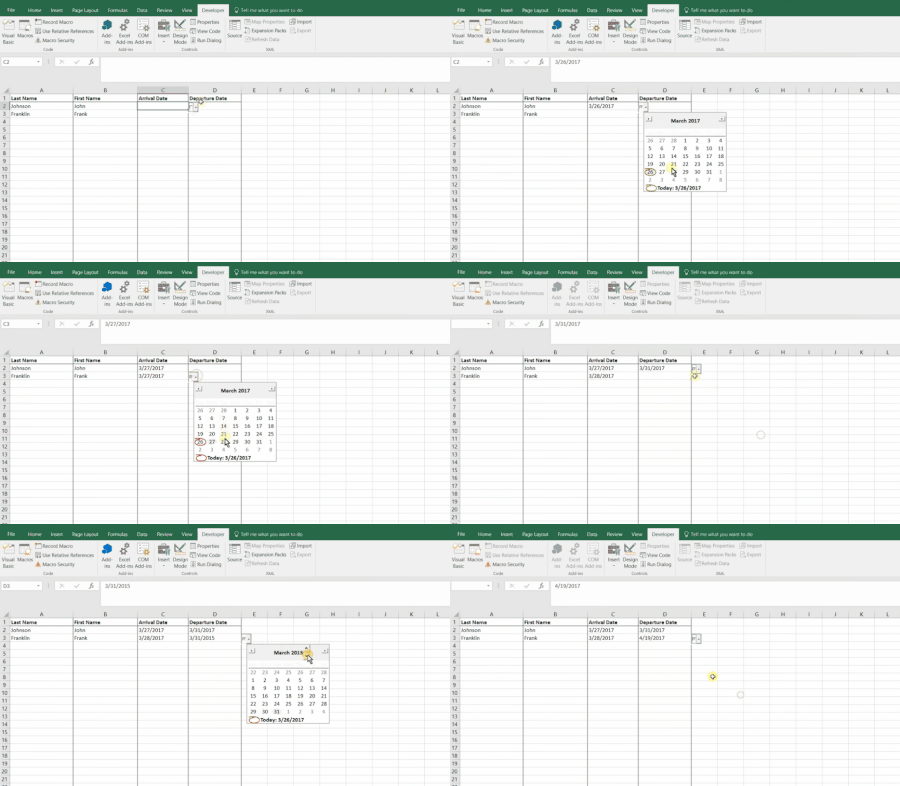

DonYTechGuy
Feb 29, 2020Copper Contributor
Hi mathetes Thanks for trying to help me! Is there a formula anyone can share that creates a DatePicker Calendar?

mathetes
Feb 29, 2020Gold Contributor
OK, I see.....I think this is a form of data validation, and it's beyond my skill level. It's NOT a formula, though. There are ways to create a drop down list of valid entries for a cell, going from a list. The process you've illustrated here isn't among the ones I've seen. And seems to go beyond what I've seen....
So while you're waiting for someone else, you might try Googling phrases like "advanced date data validation in Excel" or "data validation with calendars" .....
If, on the other hand, you have an actual spreadsheet that does what you're showing....go to the menu across the top, find Data....Validation and see what has been selected there.
So while you're waiting for someone else, you might try Googling phrases like "advanced date data validation in Excel" or "data validation with calendars" .....
If, on the other hand, you have an actual spreadsheet that does what you're showing....go to the menu across the top, find Data....Validation and see what has been selected there.
- DonYTechGuyFeb 29, 2020Copper Contributor
Hi mathetes , Thanks! I'll give that a try!
- SergeiBaklanMar 03, 2020Diamond Contributor
You may vote for adding Date Picker here https://excel.uservoice.com/forums/304921-excel-for-windows-desktop-application/suggestions/13275054-add-date-picker-to-enable-users-to-select-a-date
 liverlarsonFeb 29, 2020Brass Contributorthis is not formula driven. It looks like your gif may have come from this video: https://youtu.be/kYNaiXmbcoA
In that case, he is customizing a control via VBA, and embedding that control into a range of cells. Can be customized, but not terribly straight forward. If you haven't already, watch that video, which has pretty plain instructions of what you need to do, but it's treading into developer territory.

