Forum Discussion

Bacacier Auvergne
Feb 27, 2018Copper Contributor
Interactive PURCHASE ORDER
Hello guys,
First of all, sorry for my English, I'll try to be as clear as I can. I'd like to create an excel file for my company but I don't know if it's possible.
The idea is pretty simple :
...

Bacacier Auvergne
Mar 05, 2018Copper Contributor
Thank you very much for your time and your answer ! That works perfectly !!!
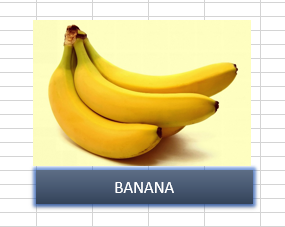
I have another question : if my image is on sheet 2 and my PURCHASE ORDER is on sheet 1, how can I click on the image and it does the same but in a different sheet ?
Thank you very much again !!!

JKPieterse
Mar 05, 2018Silver Contributor
Suppose the sheet is called "Example":
Sub Add2Table()
    With Worksheets("Example")
        .Range("A" & .Rows.Count).End(xlUp).Offset(1).Value = Application.Caller
    End With
End Sub
Note the period characters before "Range" and "Rows.Count", these are deliberate and make those items refer back to what is after the With statement: Worksheets("Example")
- Bacacier AuvergneMar 05, 2018Copper Contributor
You are the best ! Thank you very much !!!
JKPieterse wrote:
Suppose the sheet is called "Example":
Sub Add2Table()
    With Worksheets("Example")
        .Range("A" & .Rows.Count).End(xlUp).Offset(1).Value = Application.Caller
    End With
End Sub
Note the period characters before "Range" and "Rows.Count", these are deliberate and make those items refer back to what is after the With statement: Worksheets("Example")