Forum Discussion

Interactive PURCHASE ORDER
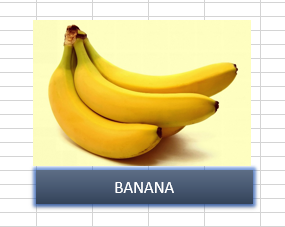

1 and 2:
Click the banana image. In the name box (to the left of the formula bar) enter "Banana" (without the quotes) (do this for each image, using the appropriate fruit name)
Right-click the banana again and select Assign Macro. Enter "Add2Table" and press "New". The VBA editor opens with this text inside:
Sub Add2Table()
End Sub
replace that with:
Sub Add2Table()
    Range("A" & ActiveSheet.Rows.Count).End(xlUp).Offset(1).Value = Application.Caller
End Sub
Note that this assumes your fruit names are in column A, adjust accordingly.
For the other images click them, assign macro, select "Add2Table" from the list in the dialog and click OK.
3: Enter your colors somewhere out of the way in rows. Click the Data tab and choose Data Validation. Select the List option in the Allow box. Click in the Source box, type the equal sign and select the cells with the colors you just entered. OK.
 Bacacier AuvergneMar 05, 2018Copper Contributor
Thank you very much for your time and your answer ! That works perfectly !!!
I have another question : if my image is on sheet 2 and my PURCHASE ORDER is on sheet 1, how can I click on the image and it does the same but in a different sheet ?
Thank you very much again !!!
- JKPieterseMar 05, 2018Silver Contributor
Suppose the sheet is called "Example":
Sub Add2Table()
    With Worksheets("Example")
        .Range("A" & .Rows.Count).End(xlUp).Offset(1).Value = Application.Caller
    End With
End Sub
Note the period characters before "Range" and "Rows.Count", these are deliberate and make those items refer back to what is after the With statement: Worksheets("Example")
- Bacacier AuvergneMar 05, 2018Copper Contributor
You are the best ! Thank you very much !!!
JKPieterse wrote:
Suppose the sheet is called "Example":
Sub Add2Table()
    With Worksheets("Example")
        .Range("A" & .Rows.Count).End(xlUp).Offset(1).Value = Application.Caller
    End With
End Sub
Note the period characters before "Range" and "Rows.Count", these are deliberate and make those items refer back to what is after the With statement: Worksheets("Example")