Forum Discussion

INDEX, MATCH with Combo-box
 Apr 24, 2023
Hi anupambit1797 ,
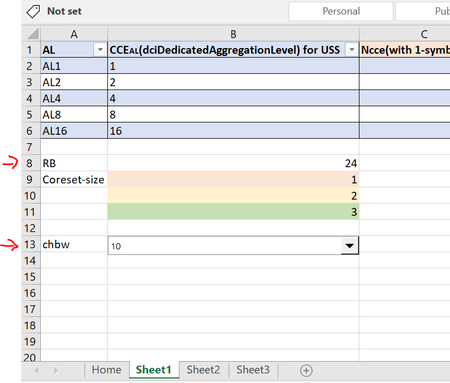
Please, check if it works for you. Note that I removed your select list and just added a Data Validation containing the list of CHBW from Sheet2, just to make the connection with B13 easier (let me know if this change is a possibility for your use).
The formula is a VLOOKUP, but I added an IFERROR just to prevent a "#N/A" result if you let the cell empty.
=IFERROR(VLOOKUP(B13, Sheet2!A2:B11, 2, FALSE), "")Let me know if it helps or if you need any changes on the file.
Hi anupambit1797 ,
Please, check if it works for you. Note that I removed your select list and just added a Data Validation containing the list of CHBW from Sheet2, just to make the connection with B13 easier (let me know if this change is a possibility for your use).
The formula is a VLOOKUP, but I added an IFERROR just to prevent a "#N/A" result if you let the cell empty.
=IFERROR(VLOOKUP(B13, Sheet2!A2:B11, 2, FALSE), "")
Let me know if it helps or if you need any changes on the file.
 anupambit1797Apr 24, 2023Steel Contributor
- HansVogelaarApr 26, 2023MVP
I wouldn't recommend using OFFSET for this, since it is a volatile function. But if you must:
=IFERROR(OFFSET(Sheet2!B1,MATCH(B13,Sheet2!A2:A11,0),0),"")
Better would be
=IFERROR(INDEX(Sheet2!B2:B11,MATCH(B13,Sheet2!A2:A11,0)),"")
