Forum Discussion

Index function and #NUM! error
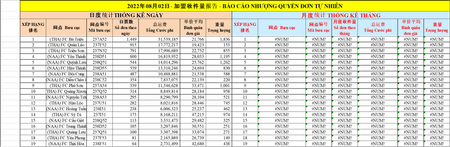
- Aug 02, 2022
littlevillage The formula in column K returns a hyphen when the VLOOKUP doesn't find a match. Change that to the number 0 (no quotation marks). Then the formula in X5 will sort correctly.
By the way, since you have a modern Excel version that supports dynamic arrays, why not skip using VLOOKUP. Better to look into XLOOKUP. Add more flexibility and no need for IFERROR as XLOOKUP includes an argument [if_not_found].

because I want to get entire 34 rows of the table,and sorted values of column K from highest to lowest and using Filter function to get out 3 columns from 6 first columns, but I dont know what the function to get that.That's why I use it.
I writed a formula again:
=INDEX(SORT(I5:N38,3,-1),SEQUENCE(34),{1,2,3,4,5,6})
the value is sorted fail
Can you give me some advicing
Thank you
https://docs.google.com/spreadsheets/d/1ZZaUANoVM5e6v15SMicN1QGY-gmYLJpG/edit?usp=sharing&ouid=112310544159929632856&rtpof=true&sd=true

littlevillage The formula in column K returns a hyphen when the VLOOKUP doesn't find a match. Change that to the number 0 (no quotation marks). Then the formula in X5 will sort correctly.
By the way, since you have a modern Excel version that supports dynamic arrays, why not skip using VLOOKUP. Better to look into XLOOKUP. Add more flexibility and no need for IFERROR as XLOOKUP includes an argument [if_not_found].
- littlevillageAug 02, 2022Iron Contributor
Thank you Riny
It is done
How can the Xlookup returns array what I expect the same Index function
https://docs.google.com/spreadsheets/d/16biql2n_5X-ttaqz86MGSKoElSMLDtcL/edit?usp=sharing&ouid=112310544159929632856&rtpof=true&sd=true
- Riny_van_EekelenAug 02, 2022Platinum Contributor
littlevillage Nothing wrong with that index function. I was referring to the formulas in column K in the earlier schedule, where VLOOKUP could be replaced by XLOOKUP.