Forum Discussion

IF Statement with RANDBETWEEN
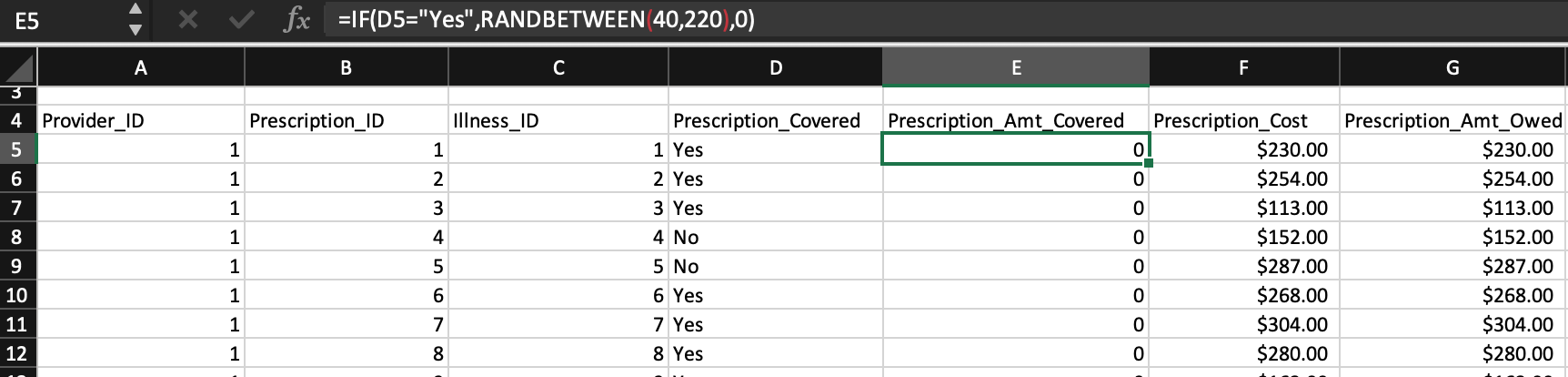
Hello. I am having issues with my IF statement. I would like my statement to execute a random number between 40 and 220 if the cell I'm referencing is Yes. Otherwise I would like it to be 0. Currently I have the statement below, but each cell only generates a 0.
=IF(D8="Yes",RANDBETWEEN(40,220),0)
I feel like this is a very simple concept but I might be having an error in my formula. I would greatly appreciate any help!
That's something else, in general formula shall work
As variant in column D word Yes is with extra space or non-printable character. Does simple =D5="Yes" return TRUE?

5 Replies
 BennadeauIron Contributor
Hi Alvar25,
The formula itself appears to be good. (tested on my end)
One thing I would check is the formatting of the cell in column D. I can't "break it" by changing the formatting here but maybe you can fix it on your end by ensuring the formatting is "text".
Also, if there is no confidential data or if you can extract just that part of the spreadsheet, perhaps you could share the spreadsheet so we can help you better.
 Alvar25Copper ContributorThank you for helping! It was actually a small error in the D column where it was returning as FALSE. The formula ended up working after some trial and error. Thanks again!
- SergeiBaklanDiamond Contributor
That's something else, in general formula shall work
As variant in column D word Yes is with extra space or non-printable character. Does simple =D5="Yes" return TRUE?
- Alvar25Copper Contributor
SergeiBaklan Thank you for your help! D5 ended up returning as FALSE when I imported to a new Workbook. It works now after deleting and pasting my data again. Thank you again!
- SergeiBaklanDiamond Contributor
Alvar25 , you are welcome, glad to help