Forum Discussion

daveg_i_norge
Oct 14, 2024Copper Contributor
IF Function not working on desktop app but OK online
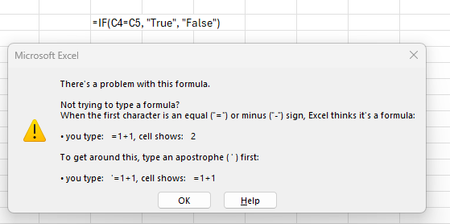
I've been using excel on and off for over 20 years. My problem is that a simple IF statement works online but not on my desktop app. =IF(C4=C5, "True", "False") was created online without errors ...
- Oct 15, 2024
Thank you. Point is not a good choice for the List separator. I'd set it to semicolon ;
You can then use ; between the arguments of a formula:
=IF(C4=C5; "True"; "False")


Detlef_Lewin
Oct 14, 2024Silver Contributor
Try replacing comma with semicolon.
 daveg_i_norgeOct 14, 2024Copper Contributor
Detlef_Lewin thanks for a quick reply. I have tried ; and . and , this is driving me crazy.
if I download the file created online and open it on the desktop app it functions correctly , if I try and edit the formula it errors with the same message as before.- HansVogelaarOct 14, 2024MVP
Press the Windows key+R to activate the Run dialog.
Type control international and press Enter or click OK.
Click Additional settings...
What is the List separator?
Activate the Currency tab.
What are the Decimal symbol and the Digit grouping symbol?
- daveg_i_norgeOct 15, 2024Copper Contributor