Forum Discussion

If formula
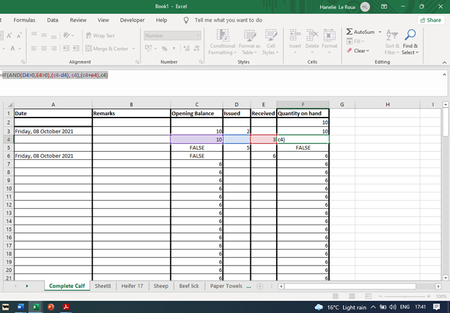
 Oct 09, 2021
Hanna1701.... I'm glad that helped. But I think you should explain the logic that you want in English and show us the formula that you think works for you.
It just occurred to me that perhaps the formula that you (should) want is:
=IF(D4>0, C4-D4, IF(E4>0, C4+E4, C4))
Hanna1701.... You need to explain your intended logic. And it would be best to attach an Excel file that demonstrates the problem. I cannot read your image.
The form of an IF expression is:
IF(condition, value_if_true, value_if_false)
So the first part of your formula is a complete IF expression, to wit (removing unnecessary parentheses):
IF(AND(D4>0,E4>0), c4-d4, c4)
That says.... If D4>0 and E4>0, return C4-D4; otherwise, return C4.
Given that, it is unclear what your intent is for the rest of the formula, which is badly formed, to wit (removing last parenthesis, which is incorrect syntax):
=IF_expression, c4+e4, c4
We cannot put 3 expressions, comma-separated, into a formula. And I'm sure that is not your intention.
Perhaps you meant to write a nested IF expression, with another condition (TBD). The intended form might be:
IF(AND(D4>0,E4>0), c4-d4, IF(condition, c4+e4, c4))
That says.... If D4>0 and E4>0, return C4-D4. Otherwise, if "condition" is true, return C4+E4; otherwise, return C4.
So C4 is returned if both "D4>0 and E4>0" is false (i.e. D4<=0 or E4<=0 or both) and "condition" is false.
 Hanna1701Oct 09, 2021Copper Contributor
- JoeUser2004Oct 09, 2021Bronze Contributor
Hanna1701.... I'm glad that helped. But I think you should explain the logic that you want in English and show us the formula that you think works for you.
It just occurred to me that perhaps the formula that you (should) want is:
=IF(D4>0, C4-D4, IF(E4>0, C4+E4, C4))
- Hanna1701Oct 09, 2021Copper ContributorThank you so much - got it working with your guidance.