Forum Discussion

Nyssa1585
May 29, 2024Tin Contributor
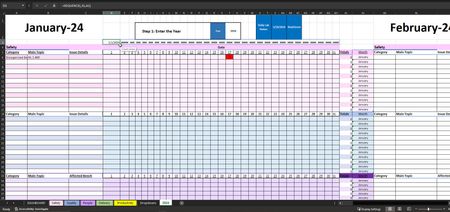
If a "x" value is present and the column header is today's date how do we display true/false
I have a workbook that I am trying to update to display the status (red or green) in cell AB1 of the lab in a singular cell based on =Today(). The table is a calendar format but due to some other piv...

Nyssa1585
May 30, 2024Tin Contributor
Does this work: https://healthservices.sharefile.com/d-sed6466342f08461aaad73854081459a7 or this https://www.dropbox.com/scl/fi/130icpsw0tpiqf4nbwxqw/Lab-Status-Workbook.xlsm?rlkey=0te29lf432w426d0zafxw2sxn&st=bctl7lsz&dl=0

dscheikey
May 30, 2024Bronze Contributor
- Nyssa1585May 30, 2024Tin ContributorDoesn't seem to work, but thanks for trying.
- dscheikeyMay 30, 2024Bronze Contributor
What result do you get if you enter the following formula in Excel?
=TEXT(TODAY(),"MMMM")It could be due to the different regional settings.
It works for me!
Please note that you have still set 2022 as the year in your example document.
- Nyssa1585May 30, 2024Tin Contributor
You were absolutely right on the year; syntax user error. Thank you so much!!!
- Nyssa1585May 30, 2024Tin Contributor
dscheikey Follow up question if you have time if I was to put each month on a separate sheet to display that status on the first sheet in L4, how would that array for the Index change in the formula.
like in: https://www.dropbox.com/scl/fi/2r4cue9czdbu56ij7qkmp/MDI-RED_Greenseparate.xlsm?rlkey=0msxuez5nr62mv7ada9hwrehx&st=q9sbjp94&dl=0
- Nyssa1585May 30, 2024Tin ContributorThat worked!! thank you so much for your help!