Forum Discussion

I have been looking for Formula for a problem I have
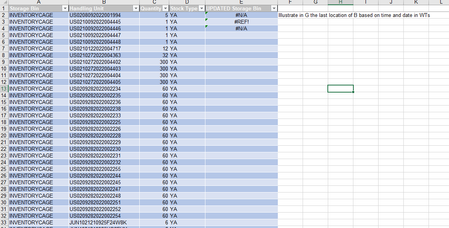

SnowMan55 Yes you are correct.
I was attempting to use the Xlookup function with conditions for the time and date columns and kept getting an error. The formula you provided did return what I was looking for but, when I applied it into the workbook the value was not always the most recent location.
For context, the purpose I am attempting this is so that I can follow the Handling units after the leave the "inventorycage" location . I have been having an issue where the items leaves the location and is not being transacted to a new location. effectively losing it.
There is one more argument that I have to take into consideration which is the whse process category. the process which would determine the "current" location of the handling unit would be an internal warehouse movement.
I will provide a link to the example worksheet if you would like to take a look at it. I am very thankful for your help.
https://docs.google.com/spreadsheets/d/1fjhZtBcDOY_jptL9gQMa7RxoEdR2gdl_/edit?usp=share_link&ouid=111607222845896412525&rtpof=true&sd=true

If you have 365 and prefer to not sort your table data, this might work for you:
=LET(order,BYROW(Table3[[Confirmation Date]:[Confirmation Time]],LAMBDA(row,SUM(row))),data,SORTBY(Table3[[Dest. Handling Unit]:[Destination Bin]],Table3[Dest. Handling Unit],1,order,-1),VLOOKUP([@[Handling Unit]],data,2,0))