Forum Discussion

Most88
Dec 17, 2024Copper Contributor
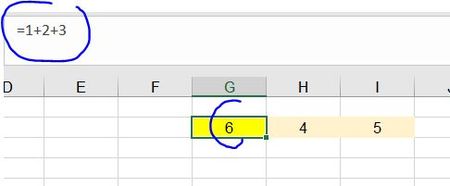
How to show/insert numbers inside sum function ?
Hey Microsoft community, Is there anyway that we can do the below example : If i have already wrote sum function =1+2+3 I wanna insert 4+5 inside the formula like below shown : Actually i have ...

m_tarler
Dec 18, 2024Silver Contributor
alternatively you can use a formula to create the text string:
=TEXTJOIN("+",,H2:J2)
that will produce 4+5 text and then copy and paste special (as value) in another cell
here is where it can get funky, for some reason in some cases excel will automatically convert it back to a 'regular' formula copy and become "=TEXTJOIN("+",,H3:J3)"
That said, if that happens, just hit UNDO and the cell will revert back to the 4+5 text only
Finally copy that text into your equation.