Forum Discussion

Gene Ciaudella
Jul 06, 2018Copper Contributor
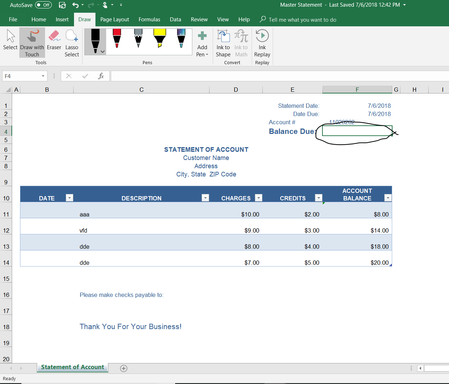
How to move a sum to another cell?
Hi. I'm quite new to Excel so please pardon my lack of knowledge.. I'm attempting to customize an existing form so that the sum that is automatically totaled at the bottom of the statement is car...

Matt Mickle
Jul 06, 2018Bronze Contributor
Try this formula:
=SUM($F$11:$F$26)
This will allow for you to expand the line items up to 15.... You should change the bottom number to whatever you think the max amount of line items would be...
If you supply a copy of the spreadsheet I'll be happy to make the adjustment for you.

Gene Ciaudella
Jul 06, 2018Copper Contributor
All set. Thank you kindly