Forum Discussion

How to count periods of absence in excel
- Dec 10, 2021
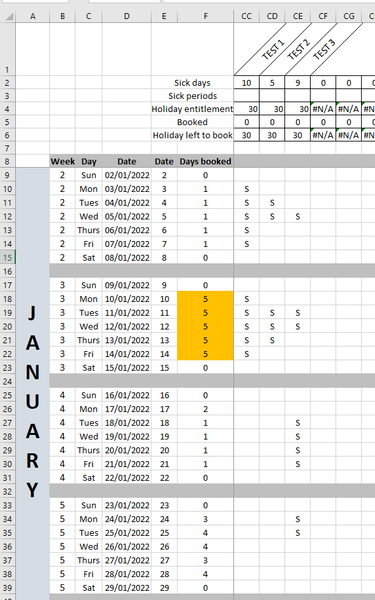
What do you see when you open the sample workbook attached below?

Hi Hans
Am picking up an old thread you have helped with.
I have used your period function for my calculation but as we are using several reasons for absenteism the outcome is current double counting some periods.
For example i could have an employee being sick for 5 days and this will be recorded as 3 days of sick holiday (SH) meaning that he will use his holiday allocation for 3 days and 2 days as sick (S) which would be unpaid.
So the formula below would need to be able to look at different reason code
=Periods(last_year_dates,OFFSET(last_year_dates,12,0),"S")
Do you have any suggestion on how i could achieve this?
Thankyou very much.

Do you mean that the function should count the 3 SH days and 2 S days as one period?
- Olivier_LanguilleNov 09, 2023Copper Contributor
Yes this is what I mean because we record it in two different way but this is the same period.
Day 1 Day 2 Day 3 Day 4 Day 5 SH SH SH S S Again, this could also be over weekends
Hope it clarifies.
- HansVogelaarNov 09, 2023MVP
Thanks. Is S/SH the only combination that should be treated this way, or are there others - if so, please list them in a reply.
- Olivier_LanguilleNov 10, 2023Copper ContributorHans
the combination can be S, SH, U,BH
Thank you