Forum Discussion

How to count periods of absence in excel
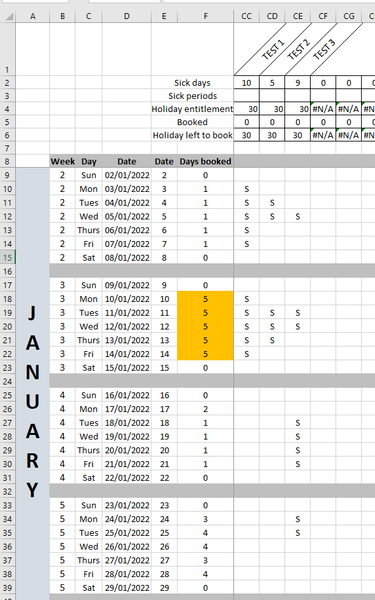
- Dec 10, 2021
What do you see when you open the sample workbook attached below?

HansVogelaar there is a mixture. Some work Sat - Wed, some Sunday only and some weekend only. My file has very similar layout to the one shown in this thread. I can make some modifications if needed to help with the calculations. Maybe a code in one of the rows to identify staff who work on above days?

See the attached workbook. You can now optionally specify a workdays string.
The workdays string must be seven characters long and each character in the string represents a day of the week, starting with Monday. 1 represents a workday and 0 represents a non-workday.
For example, "0000011" means that only Saturday and Sunday are workdays.
If you omit the workdays string, "1111100" is assumed, i.e. workdays are Monday to Friday.
- Dagmara912Mar 03, 2023Copper Contributor
HansVogelaar this is genius, thank you. How can I make the formula not to be case sensitive?
- HansVogelaarMar 03, 2023MVP
Change the line
If coderange(i).Value = code Thento
If UCase(coderange(i).Value) = UCase(code) Then- Dagmara912Mar 03, 2023Copper ContributorThank you so much