Forum Discussion

dwarseck
Nov 28, 2025Copper Contributor
How should I write this Process?
I am not sure how to do this in function for without going through a long chain of manual brute force steps and hope I'm in the right discussion group for this. I have hunted the help hits on my sea...

Vexen_C
Dec 12, 2025Brass Contributor
Good question!
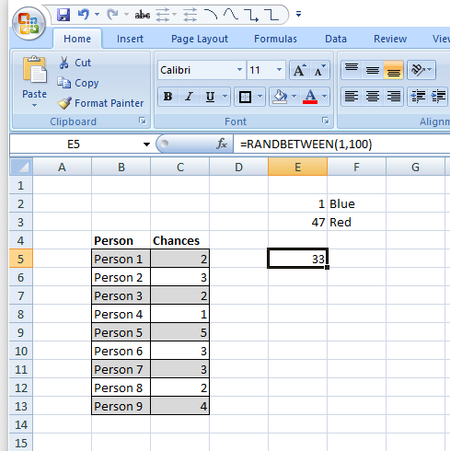
You can join together X number of values using TEXTJOIN and you can use RANDARRAY to make a list of random numbers. So, your cell C6 has a "chances" qty, using that, you can make x number of random numbers into a list:
=TEXTJOIN(",",FALSE,RANDARRAY(,C6,1,100,1))
RANDARRAY will regenerate whenever anything is done to the sheet, so, it won't just be static always-the-same numbers. The options are "number of rows" (which I've left blank), number of columns (which is the 'chances'), MIN number, MAX number, and then 'integer' which I've set, so that it only returns whole numbers.
Example: