Forum Discussion

parcuri
Jun 08, 2026Copper Contributor
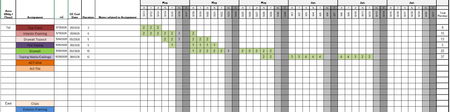
How do I have the Numbers in the Green Move with the Dates
I I'm trying to have the numbers in the green or gray area change when the date changes. What formula should I use to achieve this? Please help.

MKoski
Jun 09, 2026Brass Contributor
I am not sure what you are trying to do...but, using something like
"=IF(NOW()<=G3,0,2)" where "G3" is the date will replace the "2" with a "0" (or use """" to return a blank cell) when the current date is equal to or greater then the date in "G3"