Forum Discussion

zclem
Jan 05, 2025Copper Contributor
How Can I Make My Life Easier Here?
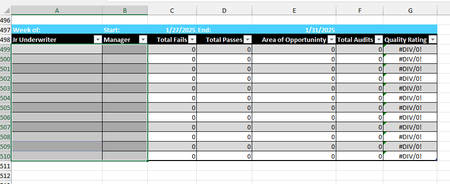
I have created an excel file where I am collecting data across several different tabs. I am tracking weekly data and monthly data for two different data sets. Some of it is manually entered and then ...

Kidd_Ip
Jan 06, 2025MVP
Take this:
- Use Named Ranges: Instead of using cell references, you can create named ranges for your date cells (e.g., StartDate and EndDate). This way, you only need to update the named ranges each week, and your formulas will automatically use the new dates.
- Dynamic Named Ranges: You can create dynamic named ranges that automatically adjust based on the data. For example, you can use the OFFSET function to create a range that expands as new data is added.
- Structured References: If your data is in an Excel Table, you can use structured references. These references automatically adjust as you add or remove data. For example, instead of Audits!$B:$B, you can use Audits[ColumnName].
- VBA Macros: If you're comfortable with VBA, you can write a macro to automate the process of copying the table and updating the cell references. This can save you a lot of time and effort.
- Formulas with INDIRECT: You can use the INDIRECT function to create dynamic references. For example, you can build a reference string that changes based on the week number.