Forum Discussion

EditingElephant
Apr 26, 2024Copper Contributor
Highlighting a part of a row based on 1 cell
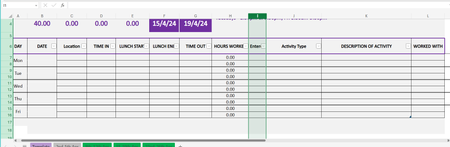
Hi all, I know that you can't create a checklist in excel online so I'm trying this as an alternative. I'd like to highlight columns H to L if the cell in column I contains Y (or YES if needed). Can...
- Apr 26, 2024
Sorry, I didn't notice that you specified Excel for Web.
Select Formula from the Rule Type drop-down.

HansVogelaar
Apr 26, 2024MVP
Select H7:L16.
The active cell in the selection should be in row 7 (for example H7).
On the Home tab of the ribbon, click Conditional Formatting > New Rule...
Select 'Use a formula to determine which cells to format'.
Enter the formula
=LEFT($I7) = "Y"
Click Format...
Activate the Fill tab.
Select a highlight color.
Click OK, then click OK again.

EditingElephant
Apr 26, 2024Copper Contributor
HansVogelaar Thank you for your help. One snag though, there's no 'Use a formula to determine which cells to format' option, it only comes up with this
- HansVogelaarApr 26, 2024MVP
Sorry, I didn't notice that you specified Excel for Web.
Select Formula from the Rule Type drop-down.
- EditingElephantApr 26, 2024Copper Contributor
HansVogelaar It worked! Thank you very much