Forum Discussion

jaolvera
May 05, 2023Brass Contributor
Highlighting a cell based on cell condition
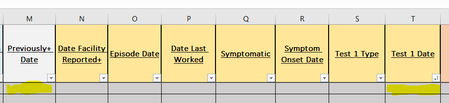
Hello, I need help with creating a highlighting condition based on dates. I would want colum M (previously positive) to highlight IF the date in cell T (Test 1 date) is within 60 days of each other. ...

HansVogelaar
May 05, 2023MVP
Select cells in column M, from M2 down. M2 should be the active cell in the selection.
On the Home tab of the ribbon, click Conditional Formatting > New Rule...
Select 'Use a formula to determine which cells to format'.
Enter the formula
=AND(T2<>"', T2<M2+60)
=AND(T2<>"", T2<M2+60)
Click Format...
Activate the Fill tab.
Select a highlight color.
Click OK, then click OK again.
 jaolveraMay 05, 2023Brass ContributorThank you!
this message popped up? "theres a problem with this formula"- HansVogelaarMay 05, 2023MVP
- jaolveraMay 05, 2023Brass Contributorthe formula worked, but the highlighting condition isnt working when I type in the dates.
- HansVogelaarMay 05, 2023MVP
Do you use comma as decimal separator? If so, use semicolon instead of comma in the formula:
=AND(T2<>""; T2<M2+60)