Forum Discussion

help with pulling data from a doc into a summary.
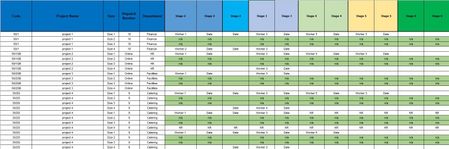

You have not specified the Excel version that you use.
Collecting a list of distinct Project Codes is easy enough with Excel 365. Once that is done the table can be filtered to show a specific project.
Why
are there 4 rows for each project;
is the information held in the green rows similar to the white rows; is the project stage determined by the rightmost date;
why does stage 2 have an additional column?

Hi i am using office 2019
There are 4 rows for each project as it comes in different sizes. These need to be reported per size.
Yes the green rows are where they have been identified that we arent making that size and the project is determined by the rightmost date.
Unfortunately i didnt make the spreadsheet the additional column on stage 2 only shows the Version number. It is insignificant really.