Forum Discussion

Help with Excel EXP formula with Vlookup and IF function spitting #N/A
 Jun 11, 2021
Riny_van_Eekelen wrote: ``change the formula to
=VLOOKUP($C8,'Input market data IR (2)'!$B$6:$L$60,9,0)
Start the lookup range in column B and decrease the column count by 1``I agree with Riny insofar as changing the lookup column to B instead of A.
But the additional adjustment to the formula in G8 is more than merely decreasing the column offset by 1.
I think it would be easier to understand and maintain if you change the formulas to use an INDEX/MATCH paradigm. Specifically:
E8:
=INDEX('Input market data IR (2)'!$J$6:$J$60,
MATCH($C8,'Input market data IR (2)'!$B$6:$B$60,0))F8:
=INDEX('Input market data IR (2)'!$K$6:$K$60,
MATCH($C8,'Input market data IR (2)'!$B$6:$B$60,0))G8:
=IF($A8<$C$5,0,EXP(-$B8*(E8+($B8
-INDEX('Input market data IR (2)'!$I$6:$I$60,
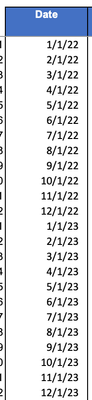
MATCH($C8,'Input market data IR (2)'!$B$6:$B$60,0)))*F8)))But note that you still get #N/A errors in row 82 because C82 is 12/31/2023 instead of 12/1/2023.
You might fix C82.
But I wonder if you really want MATCH(...,...,1) instead of MATCH(...,...,0).
The change presumes that the dates in B6:B60 are in ascending order. That is true for the Excel file that you posted. Only you can say whether we can depend on that.


CocoZhou You need to change the lookup range so that the first column holds the values you would like to find a match for. So, in E8, change the formula to:
=VLOOKUP($C8,'Input market data IR (2)'!$B$6:$L$60,9,0)
Similar for the formulae in F and G. Start the lookup range in column B and decrease the column count by 1.
- CocoZhouJun 11, 2021Copper Contributorthank you, it worked!