Forum Discussion

Headers split from notepad++ to Excel
- Jan 17, 2026
possible to use some legacy formulas?
This is the kind of key info./requirement you should always provide upfront & when talking about legacy formulas you should also say which version of Excel is in use. Not knowing I assumed 365/Web
Below is a 365 LAMBDA option where no string is hard-coded
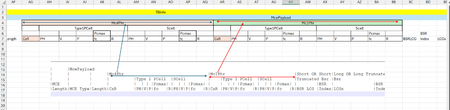
#1 When opening the text file from within Excel make sure you select options "Delimited" then "Comma" in the Import Wizard, this to ensure you get the data as a single column
#2 With a file like the one you shared data is then imported in sheet 'headers', range A1:A6. The full reference is therefore: headers!A1:A6
#3 In the attached workbook I stored the LAMBDA in the Name Manager and named it RESTRUCT_HEADERS
You have 2 options to run the LAMBDA. Easiest one is in B8 above:
=RESTRUCT_HEADERS( headers!A1:A6 )or, as in B2 above (formula EDITED):
=LAMBDA(input_range,
  LET(
    data,         DROP( input_range, 2 ),
    delim,        "|",

    CLEANSTR,       LAMBDA(string, TRIM( CLEAN( string ) ) ),
    MAKEBOTTOMROW,  LAMBDA(string, TAKE( DROP( TEXTSPLIT( string, delim ),, 25 ),, 22 ) ),

    seqOutCols,   SEQUENCE(, 22 ),
    dataRow1,     CLEANSTR( TAKE( DROP( TEXTSPLIT( INDEX( data, 1, 1 ), delim ),, 22 ),, 2 ) ),
    outRow1,      XLOOKUP( seqOutCols, {6,17}, dataRow1, "" ),
    dataRow2,     CLEANSTR( TAKE( DROP( TEXTSPLIT( INDEX( data, 2, 1 ), delim ),, 24 ),, 2 ) ),
    dataRow2x,    HSTACK( dataRow2, dataRow2 ),
    outRow2,      XLOOKUP( seqOutCols, {4,9,15,20}, dataRow2x, "" ),
    outRow3,      MAKEBOTTOMROW( INDEX( data, 3, 1 ) ),
    outRow4,      MAKEBOTTOMROW( INDEX( data, 4, 1 ) ),

    VSTACK( outRow1, outRow2, outRow3, outRow4 )
  )
)( headers!A1:A6 )
PS Revised the Power Query approach to simplify it and remove dependency on previously hard coded strings. Feel free to re-download

Thanks Lorenzo , possible to use some legacy formulas? , what I tried was to check the Num of "|" in each row, and then replace all the rows with the max num of "|", then use the textsplit.. though it didn't worked..
Anything similar if we can think of for dynamic( rather than what you mentioned to hardcode some txt), playing with the "|" and " ", if possible?
Thanks & Regards
Anupam Shrivastava

possible to use some legacy formulas?
This is the kind of key info./requirement you should always provide upfront & when talking about legacy formulas you should also say which version of Excel is in use. Not knowing I assumed 365/Web
Below is a 365 LAMBDA option where no string is hard-coded
#1 When opening the text file from within Excel make sure you select options "Delimited" then "Comma" in the Import Wizard, this to ensure you get the data as a single column
#2 With a file like the one you shared data is then imported in sheet 'headers', range A1:A6. The full reference is therefore: headers!A1:A6
#3 In the attached workbook I stored the LAMBDA in the Name Manager and named it RESTRUCT_HEADERS
You have 2 options to run the LAMBDA. Easiest one is in B8 above:
=RESTRUCT_HEADERS( headers!A1:A6 )or, as in B2 above (formula EDITED):
=LAMBDA(input_range,
  LET(
    data,         DROP( input_range, 2 ),
    delim,        "|",

    CLEANSTR,       LAMBDA(string, TRIM( CLEAN( string ) ) ),
    MAKEBOTTOMROW,  LAMBDA(string, TAKE( DROP( TEXTSPLIT( string, delim ),, 25 ),, 22 ) ),

    seqOutCols,   SEQUENCE(, 22 ),
    dataRow1,     CLEANSTR( TAKE( DROP( TEXTSPLIT( INDEX( data, 1, 1 ), delim ),, 22 ),, 2 ) ),
    outRow1,      XLOOKUP( seqOutCols, {6,17}, dataRow1, "" ),
    dataRow2,     CLEANSTR( TAKE( DROP( TEXTSPLIT( INDEX( data, 2, 1 ), delim ),, 24 ),, 2 ) ),
    dataRow2x,    HSTACK( dataRow2, dataRow2 ),
    outRow2,      XLOOKUP( seqOutCols, {4,9,15,20}, dataRow2x, "" ),
    outRow3,      MAKEBOTTOMROW( INDEX( data, 3, 1 ) ),
    outRow4,      MAKEBOTTOMROW( INDEX( data, 4, 1 ) ),

    VSTACK( outRow1, outRow2, outRow3, outRow4 )
  )
)( headers!A1:A6 )
PS Revised the Power Query approach to simplify it and remove dependency on previously hard coded strings. Feel free to re-download