Forum Discussion

DR_74
Jan 17, 2024Copper Contributor
GETPIVOTDATA function return error
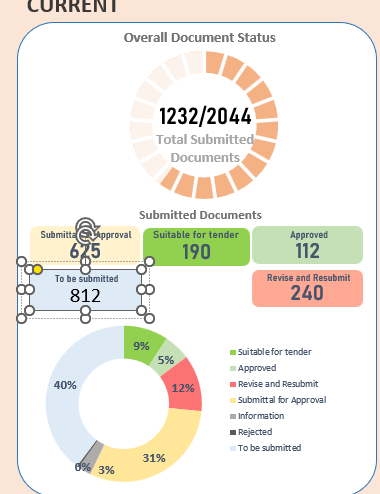
Hi, I am trying to make a dashboard with different charts taking information from pivot tables and connected to a slicer filter to have a coordinated view. for the number in the filed I am trying t...

Riny_van_Eekelen
Jan 17, 2024Platinum Contributor
DR_74 You can't 'attach' a formula like that to a shape. consider entering the GETPIVOTDATA formula in a cell near the pivot table and out of view of your dashboard and reference that cell in the shape. Example below.

DR_74
Jan 17, 2024Copper Contributor
Riny_van_Eekelenand SergeiBaklan
thanks for the clarification, as you both suggested I have done a connection with a normal cell and is working.
As you know how to use the GETPIVOT formula, how can I add the "-" to don't have #REF! when the value is = 0?
thank you very much for the help!
- SergeiBaklanJan 17, 2024Diamond Contributor
You may wrap it with IFERROR()
=IFERROR( GETPIVOTDATA(...), 0 )I assume you have #REF on filtered labels, for other ones GETPIVOTDATA() returns correct values.
- DR_74Jan 17, 2024Copper ContributorOk! so I can use GETPIVOT in normal formula I though was a special formula.
sorry I didn't think about it.
thank you!
