Forum Discussion

JenSmith
Feb 13, 2020Copper Contributor
Formula/Formatting to populate adjacent cell based on initial cell contents
Hi Everyone, I am creating a template for a report we are developing and i'm trying to add as many 'tricks' in the background as possible to make it easy for all involved and reduce the amount o...
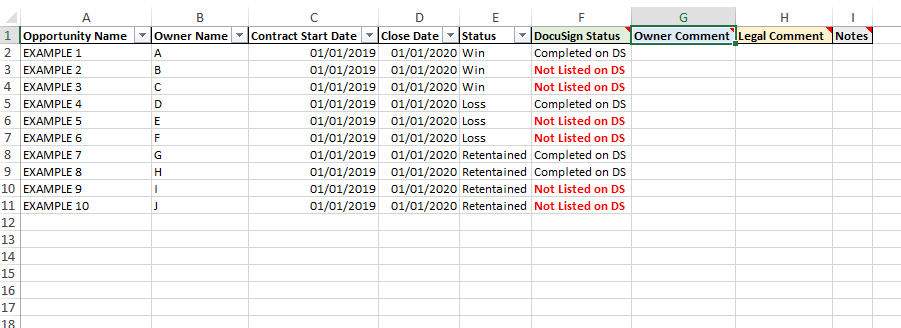
- Feb 13, 2020As long as the data validation list includes “N/A” and the “Statement if true” from the second if statement, then yes, this would work whilst having a drop down in the same cell.
However... as soon as an option is chosen from the data validation list the formula would be removed from the cell.
I would recommend keeping the drop down and formula in separate cells.

JenSmith
Feb 13, 2020Copper Contributor
Hi PReagan ,
Thank you for your response!
Would this work whilst also having drop down options for all cells in columns G & H?
Thanks,
Jen

PReagan
Feb 13, 2020Bronze Contributor
As long as the data validation list includes “N/A” and the “Statement if true” from the second if statement, then yes, this would work whilst having a drop down in the same cell.
However... as soon as an option is chosen from the data validation list the formula would be removed from the cell.
I would recommend keeping the drop down and formula in separate cells.
However... as soon as an option is chosen from the data validation list the formula would be removed from the cell.
I would recommend keeping the drop down and formula in separate cells.