Forum Discussion

Formula for Multiple Date Cells
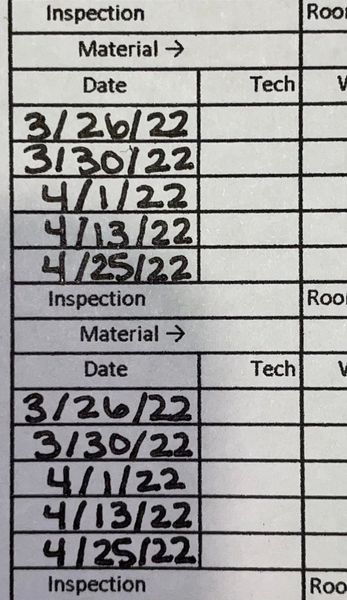

hi,
to my knowledge you need relative reference
like
A10 you input the date, and the for automate in cell A18... simply use formula write =A10
now copy this formula and paste where ever you need data.
once you update data in A10 it will update automatically
 cschackleMar 28, 2022Copper Contributor
Do you have to have a relative reference or in all the below cells can I just input the formula "=A10" in all the cells that need the formula. I know when I didn't put a relative reference in the boxes below it, it populated with a date from the 1900s. But changed once I added in today's date in the original A10 box. I just want to make the formula hidden and blank so no one can see it.
I ask because this spreadsheet is going to be shared amongst other people to add in their own information. So I would like all the boxes to be blank and then they are just able to fill in as they go.
- harshulzMar 31, 2022Iron Contributor
say you have once input cell ranged from A1:A5
lets say you input from cell A1 to A5 as below
3/22/2022
3/30/2022
4/1/2022
4/13/2022
4/25/2022
now to automate to other places where ever you want, simply use formula
=A1:A5as this file will share among other people, in that case you protect your cells. by protecting cell i means no one can change and no one can look up to formula. sample file attached below , where you cannot change dates.