Forum Discussion

c3179514
Sep 16, 2024Copper Contributor
Find Max Value in Range
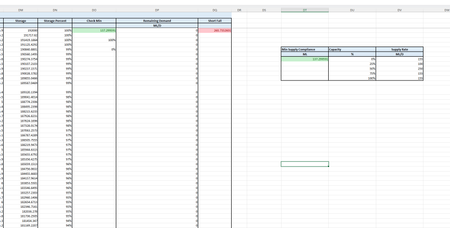
Hello, In the below, i'm trying to make a new column in the table to the right. This column needs to find the max value of Remaining Demand corresponding to the range in colum 2 (capacity %). ...

m_tarler
Sep 16, 2024Silver Contributor
I am very confused what exactly you need but if you have 365 you should consider MAXIFS() or FILTER() functions. I think maybe the following is what you need:
=INDEX(SORT(FILTER(Table[[Storage]:[Remaining Demand]], (Table[Storage Percent]>=0)*(Table[Storage Percent]<=0.25),0), 4, -1), 1,1)
so basically use FILTER to filter only the rows between 0 and 25% then Sort by column 4 (remaining demand) from high to low and then take the first value from the top row.
=INDEX(SORT(FILTER(Table[[Storage]:[Remaining Demand]], (Table[Storage Percent]>=0)*(Table[Storage Percent]<=0.25),0), 4, -1), 1,1)
so basically use FILTER to filter only the rows between 0 and 25% then Sort by column 4 (remaining demand) from high to low and then take the first value from the top row.