Forum Discussion

CS1999
Dec 27, 2022Copper Contributor
Filter rows from multiple column data
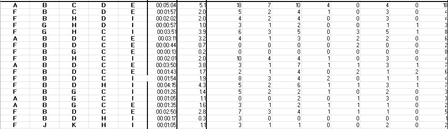
I currently have 5 columns with names I.E A, B, C, D, E and I want to be able to return the sum of the data (F1:AE23) for when those 5 names are duplicated. However, they may be in a different order ...
 Dec 27, 2022
=BYROW(A1:E23,LAMBDA(x,IF(TEXTJOIN("",,TRANSPOSE(SORTBY(TRANSPOSE(x),TRANSPOSE(x))))="ABCDE",SUM(OFFSET(x,0,5,1,26)),"")))
An alternative could be this formula which is easier to adapt if you want to check if e.g. A to Z occur in the first 26 columns in any order.

Patrick2788
Dec 27, 2022Silver Contributor
Barring any anomalies in the data or anything different than what's been offered in the mock data, this might work for you (If you have access to LAMBDA).
We can simply the logic by taking 5 columns from the left of a given row. Run UNIQUE by column and if the result is 5 (no dupes), then SUM the row.
=LAMBDA(row,IF(COUNTA(UNIQUE(TAKE(row, , 5), 1)) = 5, SUM(DROP(row, , 5)), ""))Folded into BYROW:
=BYROW(data,Total)