Forum Discussion

Filter Function Only Showing Chosen Columns using Match
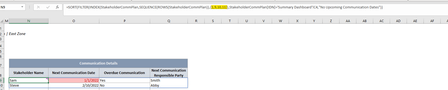
- Feb 01, 2022
Hi ligg_1
Could you try any of the following:
=MATCH(N8:Q8,StakeholderCommPlan[#Headers],0)or
=XMATCH(N8:Q8,StakeholderCommPlan[#Headers])MATCH: default value for 3rd optional arg. (match_type) is 1
XMATCH: default value for 3rd optional arg. (match_mode) is 0
If none of the above fix the issue please attach a sample workbook to your next reply - Thanks

Hi ligg_1
Could you try any of the following:
=MATCH(N8:Q8,StakeholderCommPlan[#Headers],0)or
=XMATCH(N8:Q8,StakeholderCommPlan[#Headers])
MATCH: default value for 3rd optional arg. (match_type) is 1
XMATCH: default value for 3rd optional arg. (match_mode) is 0
If none of the above fix the issue please attach a sample workbook to your next reply - Thanks

Thanks! The first option worked!
Do you know if it is possible to use the SORTBY function here to sort by "next communication date" and then "next communication responsible party" (or at a minimum "next communication date")? I am not able to figure this out.